
Blog / How-To Guides
Student Survey: A Practical Guide for Teachers and Schools
Context
Learn why student surveys matter, how they help teachers and schools, and how to create effective surveys with the right questions to gather meaningful student feedback.
On this page
Teachers and schools rarely lack opinions about what students need. What they often lack is useful, honest, actionable feedback that arrives in time to change the next lesson, unit, or term.
A hallway chat catches the loudest voices. A paper exit slip disappears into a backpack. A twelve-question form sent at 3:55 p.m. gets abandoned between bells. The hard part is not “running a survey.” It is designing one students will finish, writing questions you can act on, and closing the loop so the next survey is worth their time.
That loop matters because adult assumptions and student experience often diverge. In Brookings and Transcend’s analysis of more than 65,000 student responses, only 26 percent of 10th graders said they love school, while 65 percent of parents with 10th graders thought their child did. Asking students directly is how you close that gap.
This guide walks that practical path. You will see what a student survey is for, what to measure, how to write questions, which response types to use, how to structure and distribute the form, and how to use the results. You can build everything from scratch, or start from Formms’ student feedback form template once you know what you want to learn.
What Is a Student Survey?
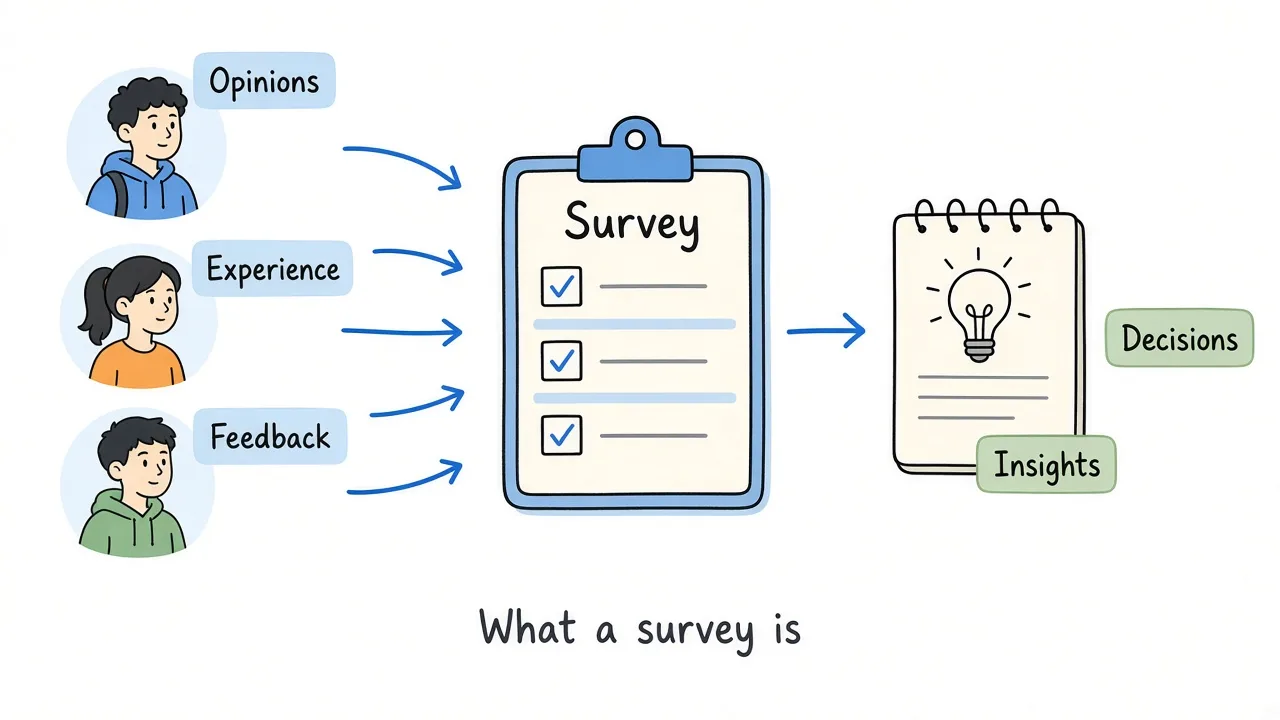
A student survey turns scattered opinions into decisions you can make next week.
A student survey is a structured set of questions that collects students’ opinions, experiences, preferences, or feedback about teaching, courses, classrooms, or school life.
The purpose can vary. Common jobs include
- Evaluating a course or unit
- Getting feedback on teaching clarity and support
- Measuring satisfaction with a program or school experience
- Understanding engagement and participation
- Improving classroom routines or materials
- Surfacing problems students may not raise in person
It is not a graded quiz, and it is not the same as a one-off chat. The structure is what makes patterns visible. You ask the same questions of many students, in a form you can compare over time.
Why Are Student Surveys Important?
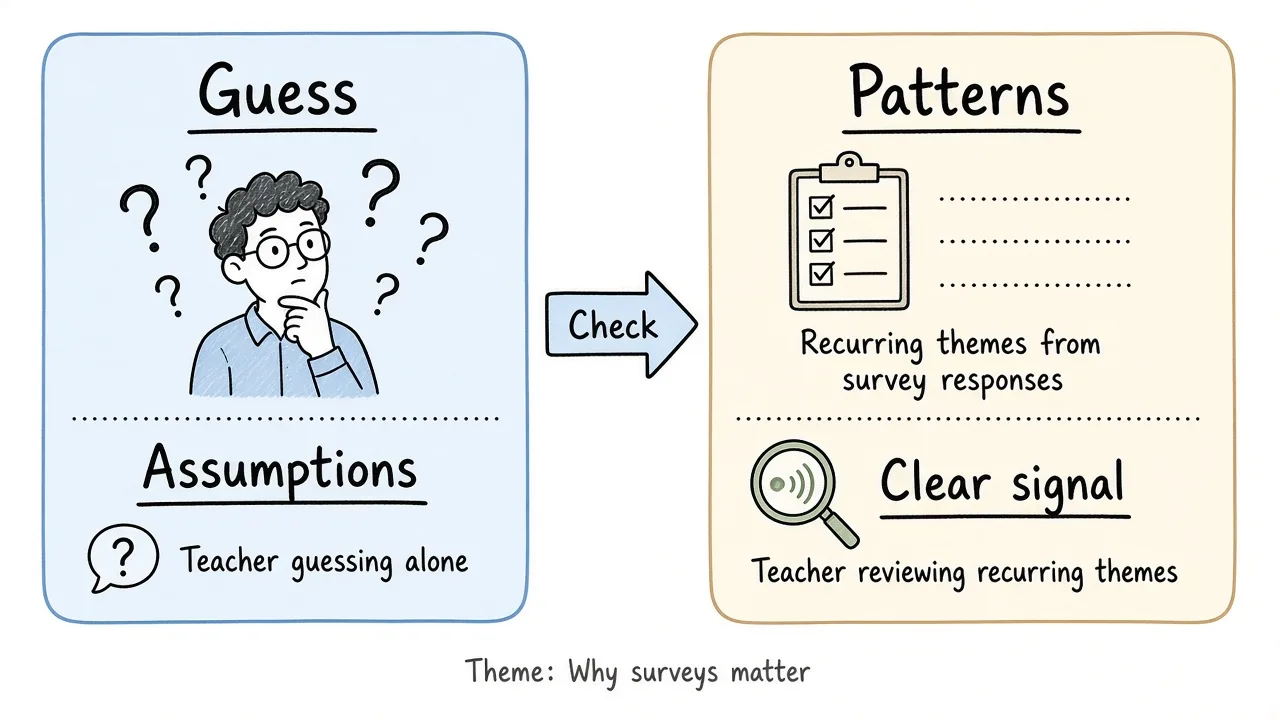
Surveys help you check assumptions against what students actually experience.
Give students a voice
Students see pacing, confusion, workload, and belonging from the inside. Teachers and administrators often miss those signals until behavior or grades make them loud. A short survey creates a quieter channel for that information.
Schools already treat that channel as normal practice. In RAND’s nationally representative 2021 Learn Together Surveys of secondary educators, 98 percent of school leaders said their school captured student voice, and leaders relied most on informal conversations and student surveys. Among principals who said their data covered most or all students, 85 percent used surveys. Federal resources such as the IES Speak Out, Listen Up! toolkit also treat student perspectives as a serious input for school improvement, not a soft add-on.
Identify what is working
Feedback is not only for problems. Students can tell you which explanations, activities, labs, or resources actually help them learn. Keeping those practices is as important as fixing weak ones.
Find areas for improvement early
Recurring comments about pace, unclear instructions, or an unsafe group dynamic are easier to address mid-unit than after finals. Surveys surface those themes while there is still time to adjust.
Improve teaching and courses
Useful responses often point to concrete levers such as clearer examples, different homework formats, more check-ins, slower introductions of new vocabulary, or better feedback on assignments. In the same RAND Learn Together data, 69 percent of secondary teachers said student voice informed their instructional approaches, and 58 percent said it informed social and emotional learning approaches. Classroom surveys fit that job when the questions stay specific enough to change tomorrow’s lesson.
Decide with evidence instead of assumptions
Educators can have strong, sincere theories about what students need. Survey responses sometimes confirm those theories. Sometimes they contradict them. Either outcome is useful, because the next change is grounded in what students reported, not only in adult guesswork.
The same Brookings-Transcend report found that only 33 percent of 10th graders say they get to develop their own ideas, while 69 percent of their parents think they do. A classroom pulse will not fix every schoolwide issue, but it can surface whether students feel heard in your class before that disconnect hardens.
Track change over time
If you run a similar pulse each term or after each unit, you can compare ratings and themes. REL and state partners have used recurrent student surveys this way to see whether implementation changes show up in student perceptions over time (IES note on student voice and competency-based learning). You do not need a research grant to do a lighter version. Keep the same core rating questions and compare averages and open comments after you change something.
What Should a Student Survey Measure?
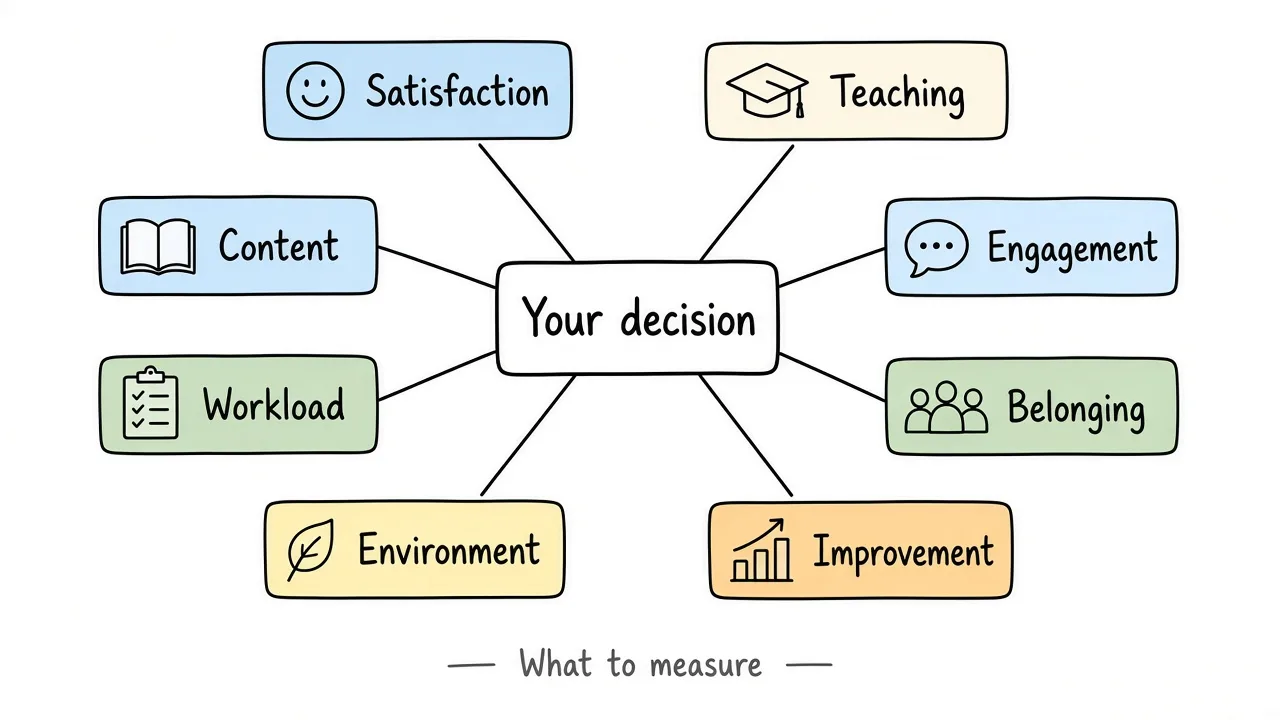
Pick the few categories that match the decision you need to make.
Do not try to measure everything in one form. Choose categories that match a real decision.
| Category | When it is useful |
|---|---|
| Overall satisfaction | End of a course, term, or program when you need a high-level read |
| Teaching quality | When you want feedback on clarity, support, and feedback practices |
| Course content | After a unit or when revising curriculum |
| Learning experience | When the question is “how did learning feel day to day?” |
| Engagement | When participation, motivation, or involvement looks uneven |
| Assignments and workload | When homework load or assignment design is under review |
| Classroom environment | When respect, comfort sharing ideas, or peer dynamics matter |
| Communication | When instructions, LMS posts, or response times may be the issue |
| School facilities | For schoolwide or facilities teams, not most classroom pulses |
| Sense of belonging | School climate and advisory work; pair with care and follow-up |
| Areas for improvement | Almost every survey needs one open box for “what should change” |
School climate constructs (safety, belonging, relationships) sit in a broader family of instruments. The School Climate Survey Compendium lists validated options when you need district-level measurement. Classroom pulses can stay shorter and more local.
Types of Student Surveys
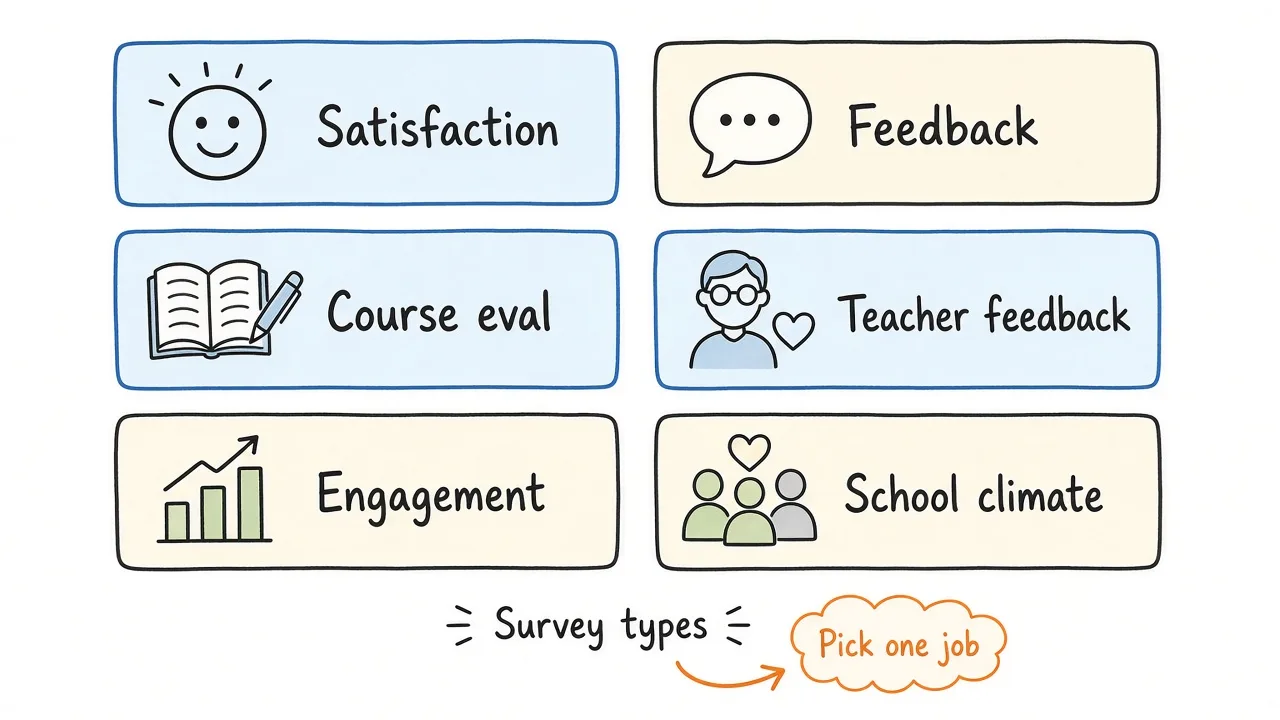
Name the job first. The survey type follows from that job.
Student satisfaction survey
Best when you want an overall read on a school, course, or learning experience. Keep attribute questions few and clear so “satisfaction” is not a blur of unrelated topics.
Student feedback survey
Best after a specific experience such as a unit, workshop, lab week, or guest session. Formms’ student feedback form template is built for this job, with a rating, a clarity scale, pace, and two open boxes.
Course evaluation survey
Best at midterm or end of course. Focus on content, teaching, workload, and learning outcomes for that course, not the whole school.
Teacher evaluation survey
Use carefully. Structure questions around observable practices (clarity, feedback, availability) rather than personality. Follow your school’s policies on how teacher-facing results are used and who sees them.
Student engagement survey
Useful when the concern is participation, motivation, or which activities help students stay involved. Mix ratings with “which activities help you participate most?”
School climate survey
Broader questions about safety, belonging, relationships, and environment. These usually need leadership sponsorship, clear privacy rules, and a plan for acting on sensitive themes.
One form can combine purposes, but an overly broad survey becomes hard to finish and hard to analyze. Prefer two short surveys over one that tries to be everything.
How to Write Good Student Survey Questions
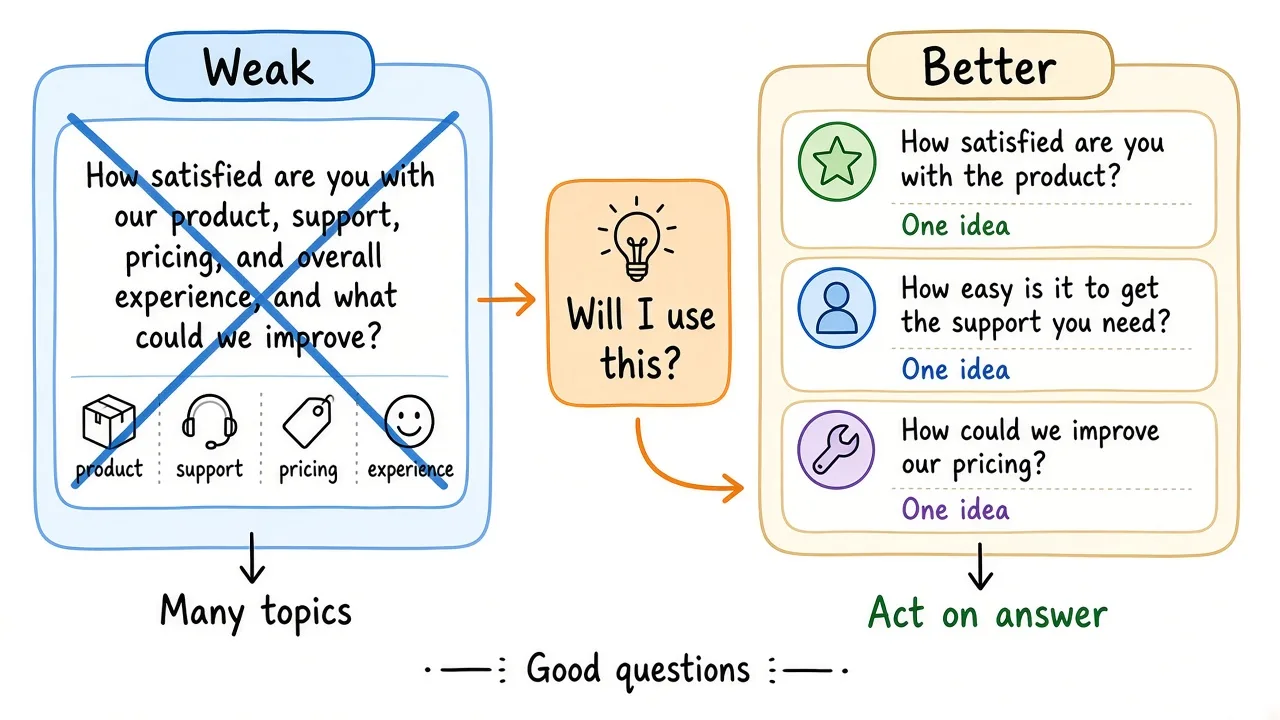
One idea per question. If you cannot act on the answer, cut it.
Keep each question focused
Weak. How satisfied are you with your teacher, assignments, classroom, and course materials?
Better. How satisfied are you with the course materials?
Then ask about teaching, assignments, and environment separately if you need those answers.
Avoid leading questions
Leading wording pushes students toward the answer you hope for.
Weak. How helpful were our excellent new study guides?
Better. How helpful were the study guides?
Use clear language
Match reading level to the youngest respondents who will see the form. Avoid jargon, double negatives, and abstract education-speak (“pedagogical efficacy”).
Ask questions that lead to useful decisions
Before you add a question, ask yourself what you will do with the answer.
If the response cannot change a lesson, assignment, routine, communication habit, or school practice you control (or escalate), the question probably does not belong. Curiosity alone is not a good reason to lengthen a student survey.
Give appropriate answer choices
Match the response format to the decision.
- Multiple choice / single choice when options are known and comparable
- Rating or Likert scales when you need degree (satisfaction, agreement, clarity)
- Yes/no for a clean binary
- Short or long text when you need reasons, examples, or unexpected issues
Closed questions make comparison easy. Open questions explain the “why.” If every item is open-ended, analysis becomes slow and inconsistent. If nothing is open-ended, you may never learn what you failed to ask.
Student Survey Questions
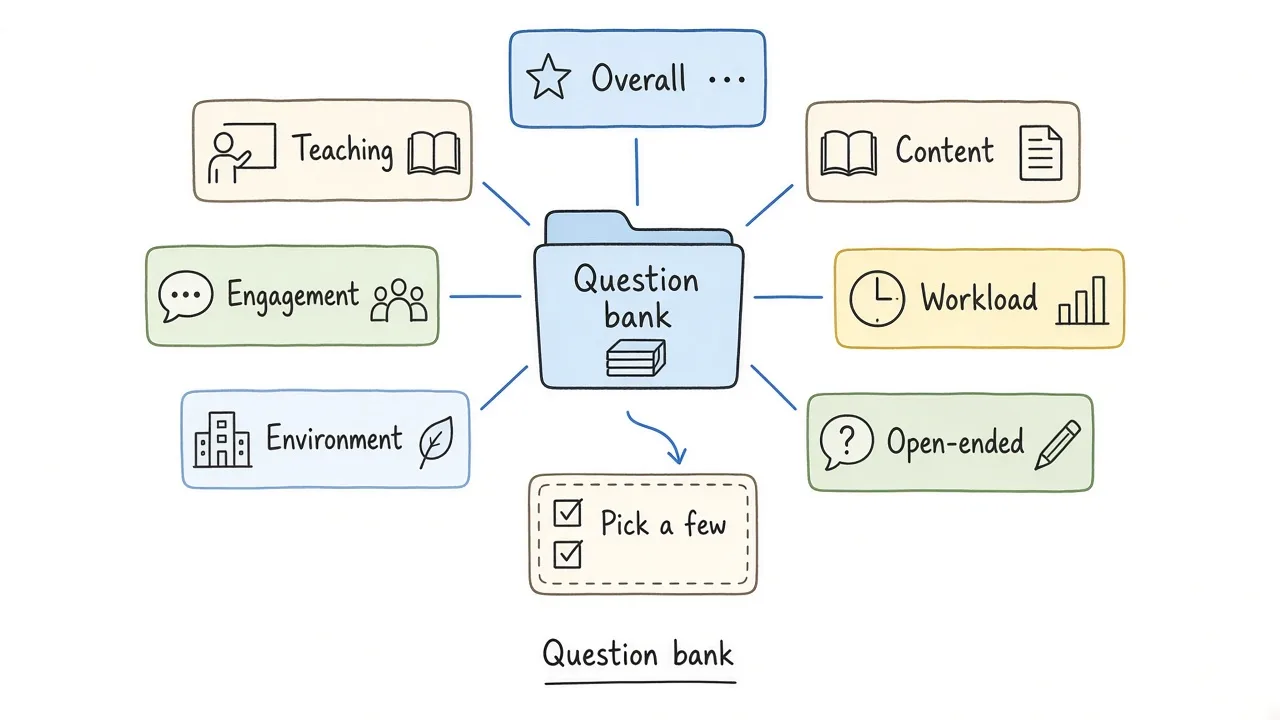
Steal questions that match your goal. Delete the rest.
Use these as a bank. Pick a small set that matches one goal.
Overall experience
- How satisfied are you with your overall learning experience in this class?
- What has been the most valuable part of this course so far?
- What is one thing you would change about your learning experience?
- Would you recommend this class to another student? Why or why not?
Teaching
- How clearly does your teacher explain new concepts?
- How comfortable are you asking your teacher for help?
- How useful is the feedback you receive from your teacher?
- How available does your teacher feel when you need support?
- What teaching approach helps you learn best in this class?
Course content
- How relevant do you find the course material?
- How well does the course content match what you expected?
- Which topics would you like to explore further?
- Which topics still feel confusing?
- How well do the materials (readings, videos, handouts) support your learning?
Engagement
- How engaged do you feel during lessons?
- Which activities help you participate most?
- What makes it difficult for you to participate?
- How often do you feel you have a chance to share your ideas?
Assignments and workload
- How manageable is the workload for this class?
- Which types of assignments help you learn best?
- How clear are the instructions for assignments?
- How useful is the feedback you receive on assignments?
- How fair does the grading feel for the work required?
Classroom environment
- Do you feel comfortable sharing your ideas in class?
- Do you feel respected by other students?
- Do you feel respected by adults in this class?
- What could improve the classroom environment?
- How safe do you feel expressing a different opinion here?
Communication and support
- How clear are announcements and due dates?
- How quickly do you get answers when you ask for help?
- Where do you usually look first when you are stuck (teacher, peers, LMS, elsewhere)?
Open-ended close
- What is one thing we should keep doing?
- What is one thing we should change?
- Is there anything else you would like us to know?
That is enough for most classroom surveys. A longer bank is not better if students never reach the end.
Student Survey Question Types
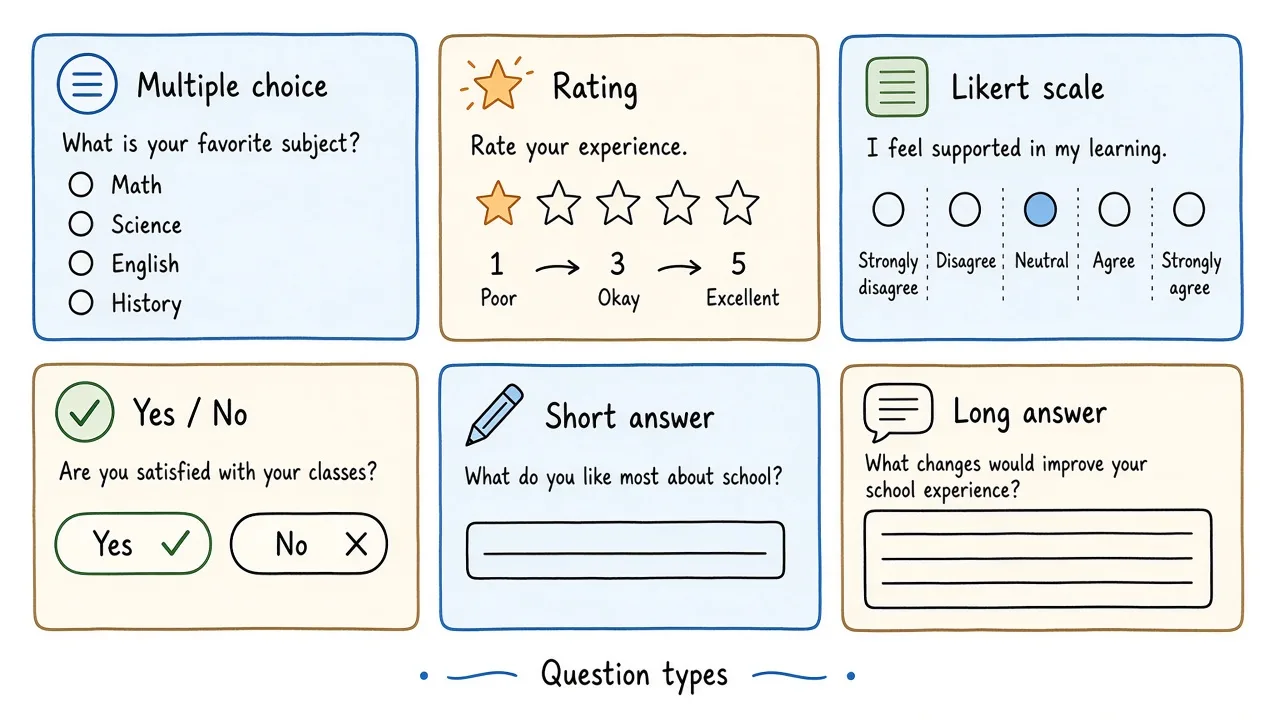
Choose the format that matches the decision, not the format that looks fancy.
| Type | Use when | What you get |
|---|---|---|
| Multiple choice / single choice | Options are known | Easy tallies and comparisons |
| Dropdown | Long option lists on desktop | Same as single choice; can be fiddly on phones |
| Rating (stars) | Quick overall quality read | Fast mobile answers; limited nuance |
| Linear / Likert scale | Degree of agreement, clarity, pace | Trends over time if you keep the same scale |
| Yes / no | A clean binary decision | Simple counts; little explanation |
| Short answer | One phrase or example | Themes you can skim quickly |
| Long answer | Reasons and stories | Rich detail; slower to analyze |
In Formms, teachers commonly mix Rating, Linear scale, Single choice, Long text, and optional Name. There is no quiz scoring or branching logic in the builder, so keep the path linear and short. For a broader classroom tool comparison, see best survey tools for teachers.
How to Create a Student Survey
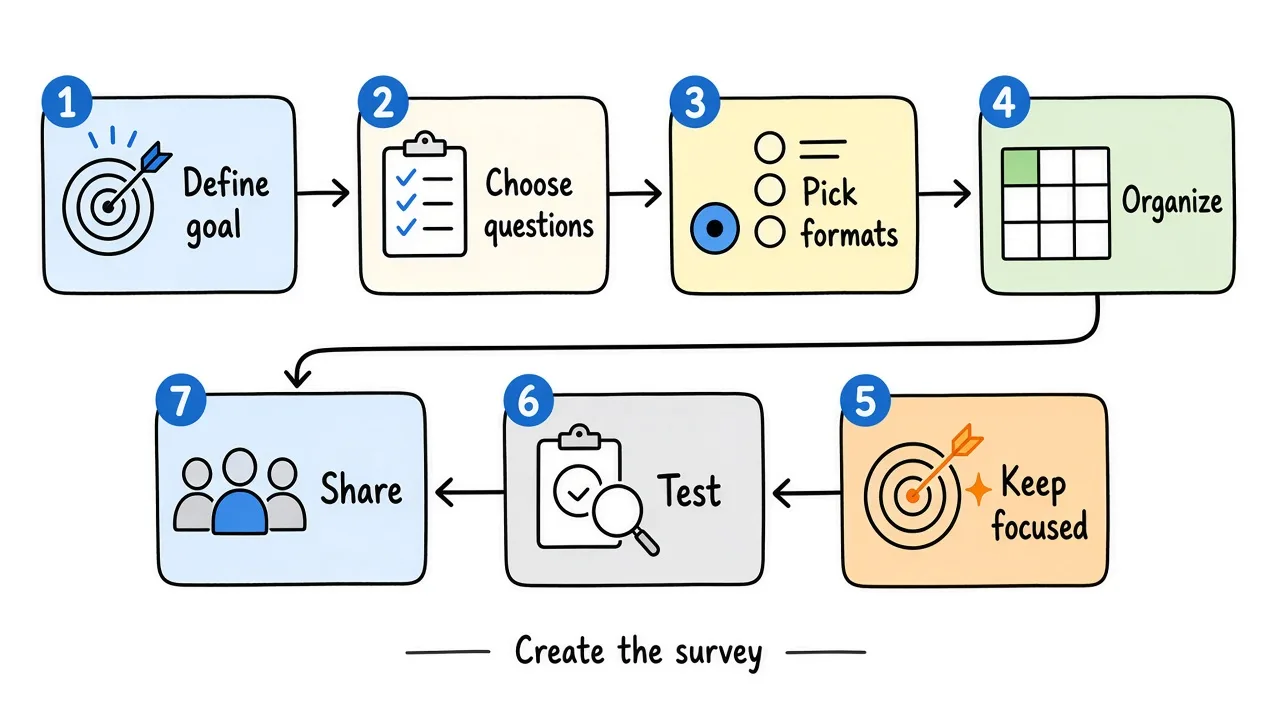
Start with the decision. The form is only the delivery method.
1. Define what you want to learn
Write one sentence such as “I need to know whether pace and lab clarity are working in Period 3 so I can adjust next week.” That sentence is your filter for every question.
2. Choose the questions
Keep only questions that feed that decision. Cut vanity items (“any other comments?”) if you already have two open boxes.
3. Choose response types
Use scales for comparison. Use open text for explanation. Make name optional if honesty matters more than follow-up.
4. Organize the survey
Start with easy ratings. Group related items. Put sensitive or open-ended questions later. End with one improvement question.
5. Keep it focused
There is no universal perfect length. A three-to-seven question pulse is usually easier to finish before the bell than a fifteen-item instrument. If analysis will take longer than the survey itself, you asked too much.
6. Test the survey
Have a colleague or a student volunteer take it on a phone. Check unclear wording, missing options, confusing instructions, and whether required fields block honest skips.
7. Share the survey
Send a short link through your LMS, project a QR code, or post it on the board before dismissal. If print is part of the plan, how to make a QR code for a form covers the hallway and projector path.
Student Survey Template
Creating every question from scratch can take time. A student survey template gives teachers and schools a starting point they can adapt.
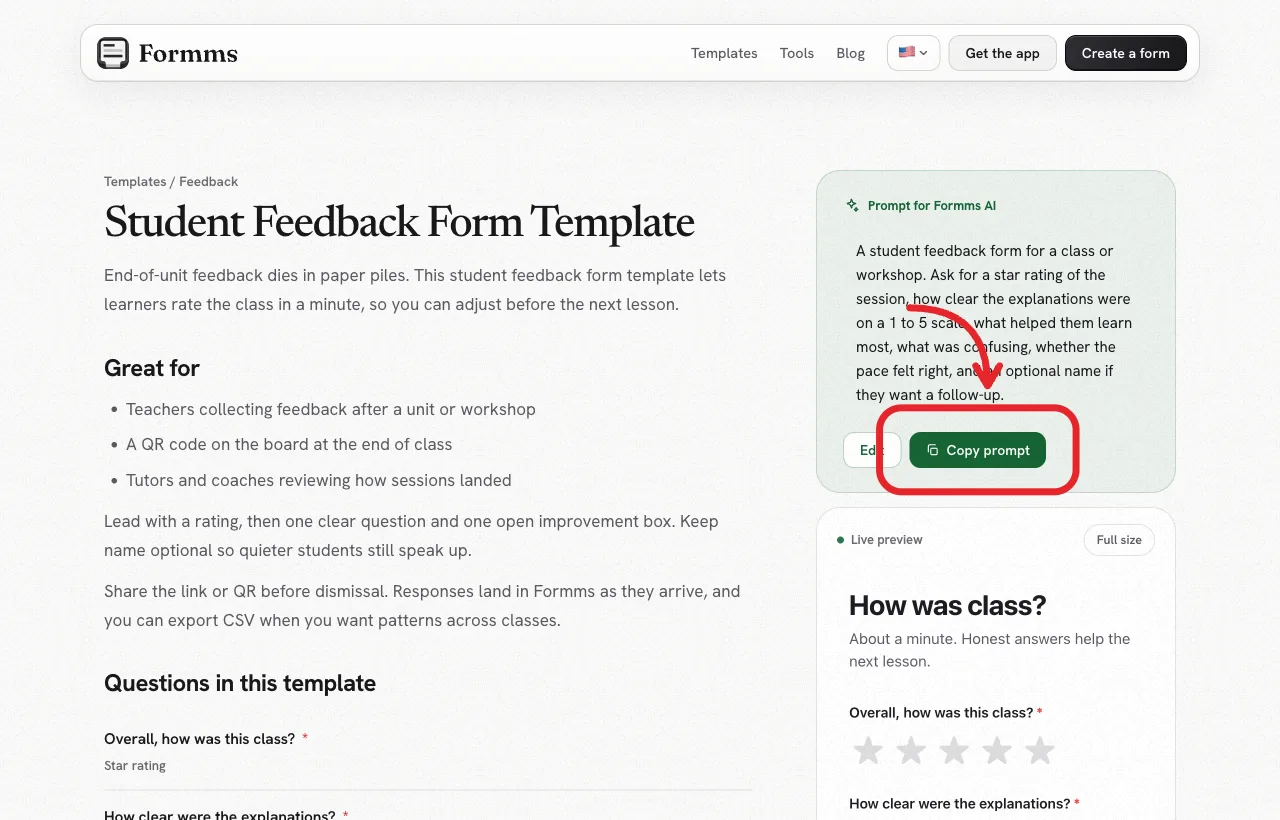
The template page includes the prompt, the question list, and a live preview you can try before signing up.
Formms publishes a ready Student Feedback Form template. It is a short classroom pulse with an overall star rating, a clarity scale, a pace question, two open improvement prompts, and an optional name. It suits end-of-class, end-of-unit, and workshop feedback when you want answers in about a minute.
You can copy the prompt into Formms, edit any field, then share a form.ms link or QR. Students do not need an account. Customize it for your class name, subject, and the decision you need this week.
How to Create a Student Survey With Form.ms
The steps below use the Formms web app. The same labels (New form, Publish, Share, Responses) appear in the iPhone and Android apps. Stick to features that exist in the product (AI draft, edit on Build, share link or QR, response settings, and CSV export). There is no branching logic, Classroom grade import, or payments.
1. Start with the template or a prompt
Open form.ms/dashboard, sign in, and click New form. Paste the prompt from the student feedback template, or write your own purpose, audience, and fields. For stronger prompts, see how to turn a prompt into a shareable form.
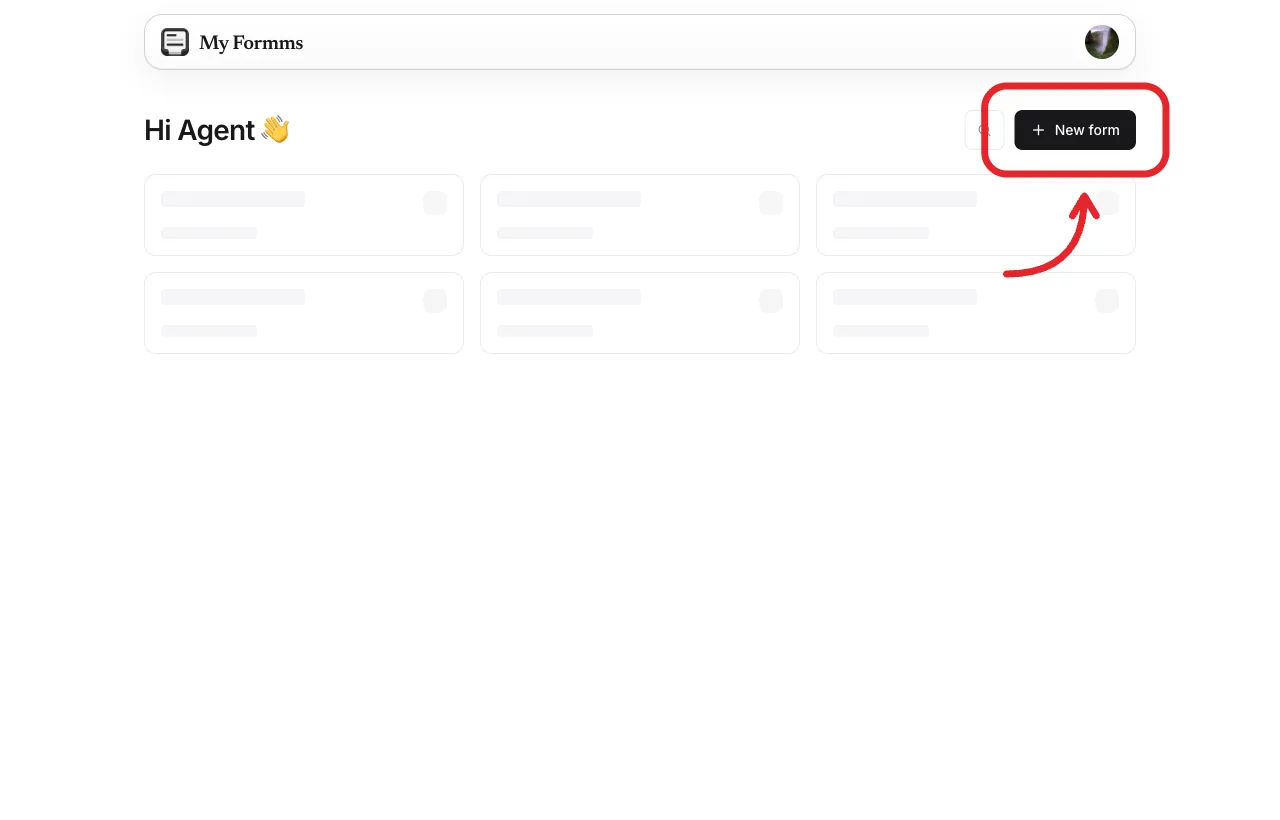
Start from New form, then describe the survey or paste a template prompt.
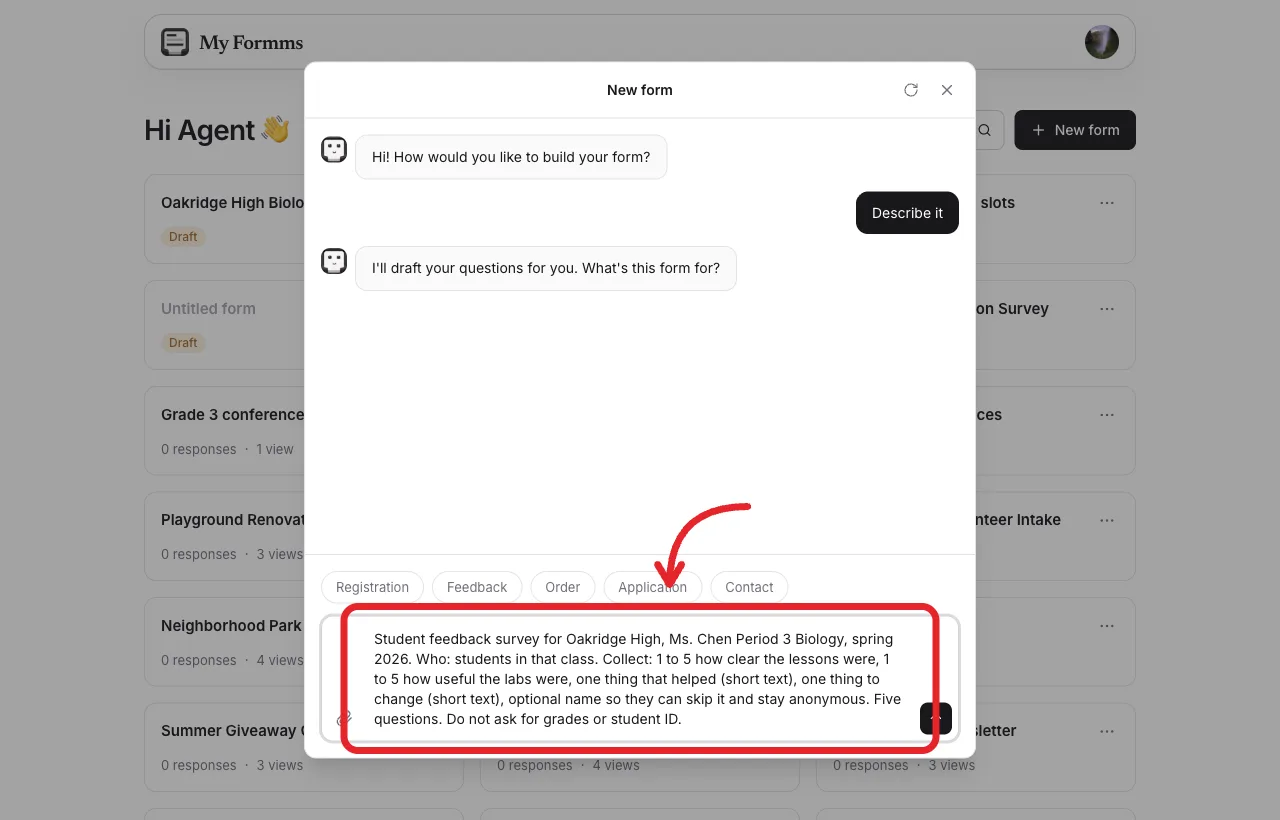
Name the school, class, who answers, and the exact fields you want.
2. Customize the questions
Review the draft card. Check the title, question types, and whether name is optional. Click Build this form, then edit labels, options, and required settings on Build. Remove questions that do not serve your decision. Add one if a gap is obvious.
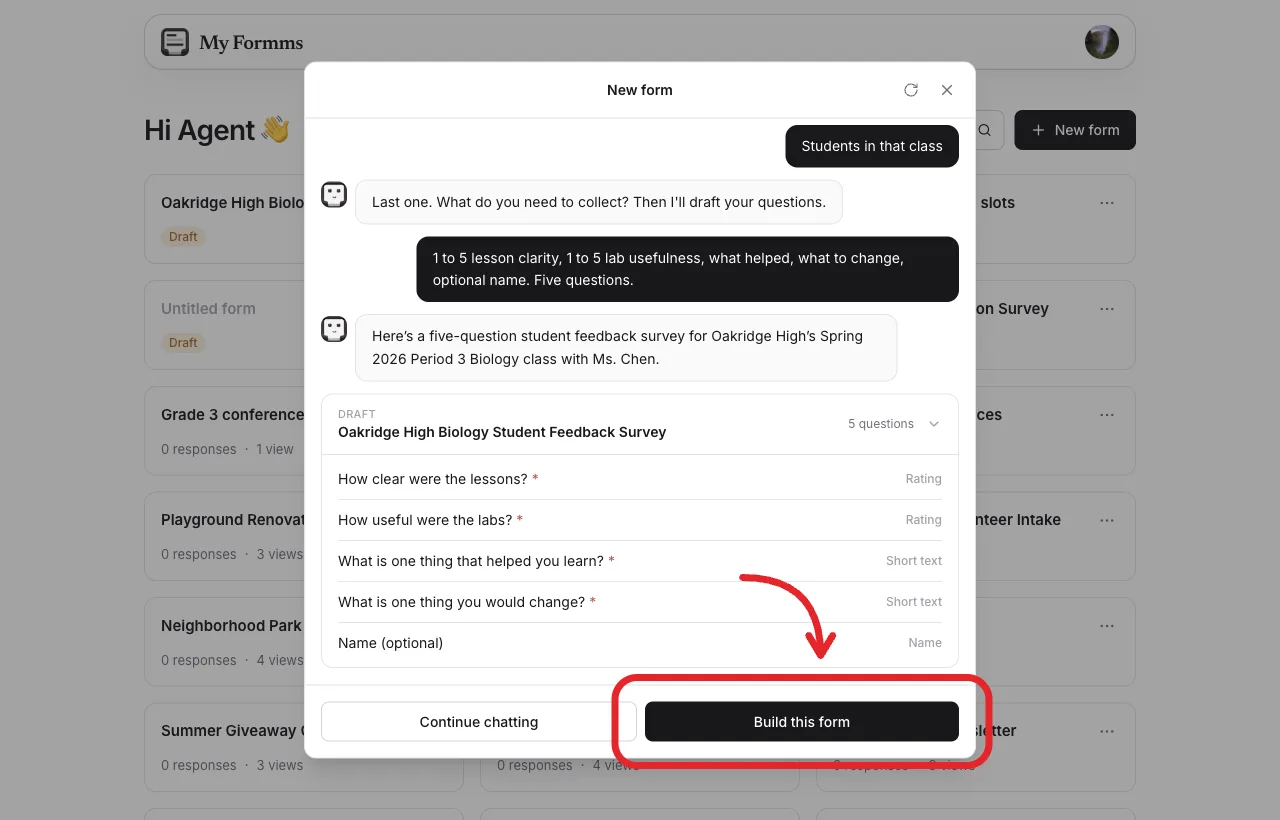
Confirm ratings, open boxes, and optional name before you create the form.
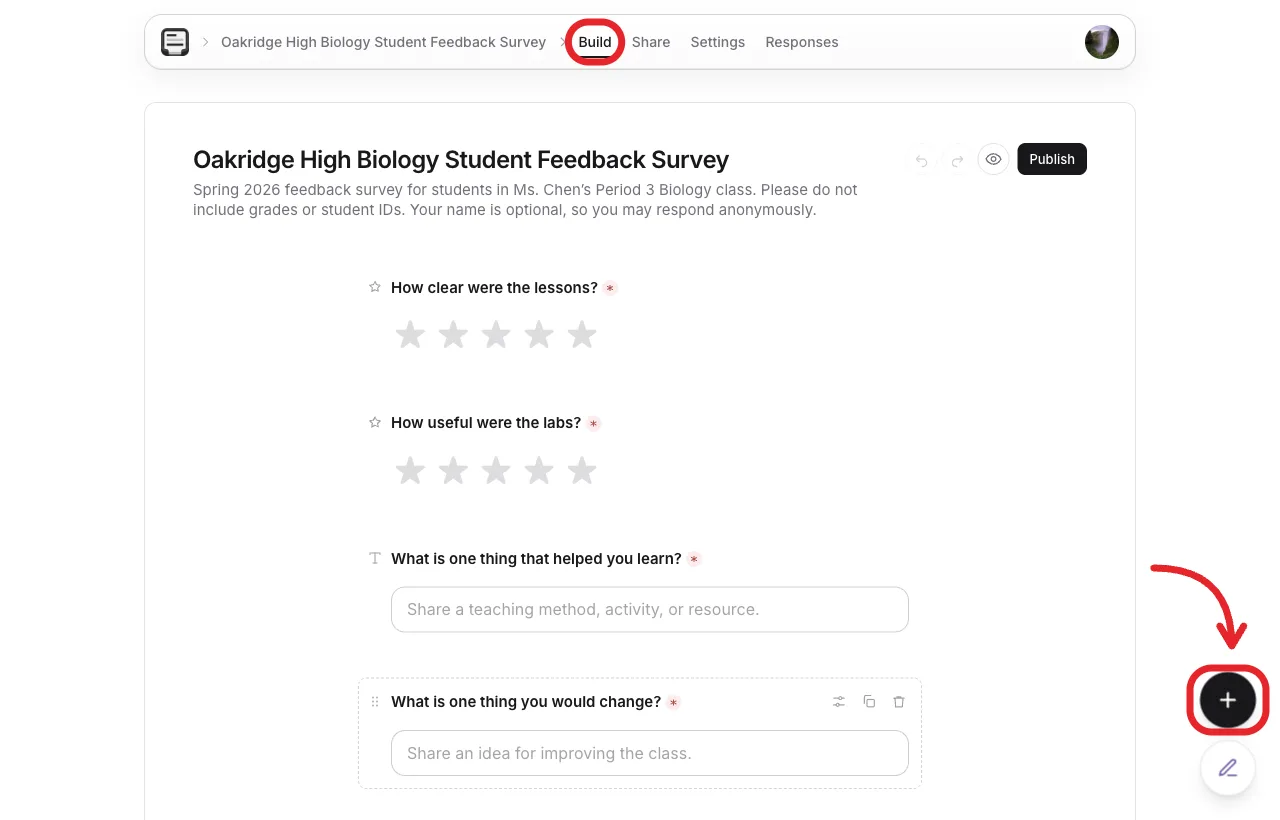
Use Add a question when you need another rating, choice, or text field.
3. Choose question types
Match each item to Rating, Linear scale, Single choice, Long text, or Name. Keep required marks on the items you need for analysis. Leave name off Required if you want quieter students to speak up.
4. Customize the survey
Set a clear title and a short description (“About a minute. Honest answers help the next lesson.”). Preview once as a student on a phone. Use Chat to Edit if you want AI help rewriting the whole form, then still review every field yourself.
5. Share the survey
Click Publish, open Share, then Link. Copy the form.ms URL into your LMS, newsletter, or board. Download the QR code for the door or projector.
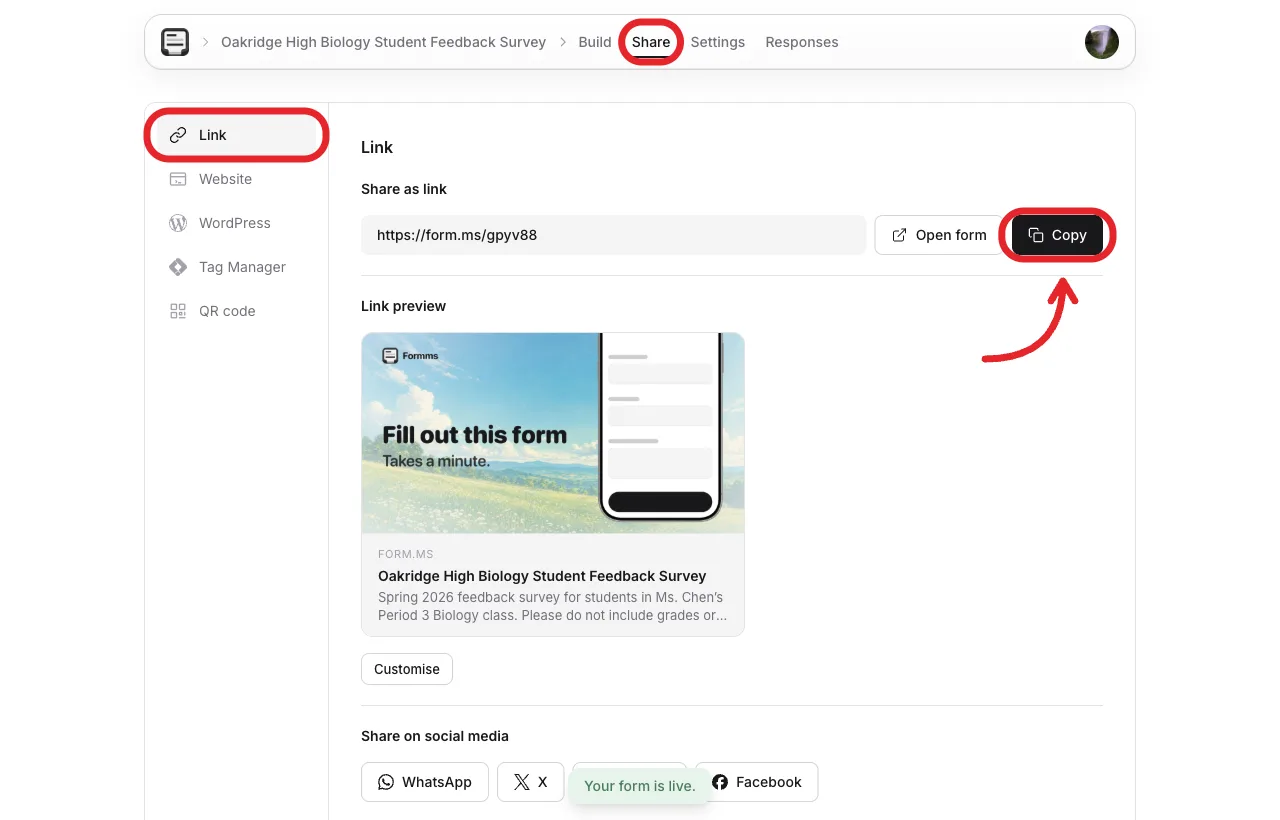
Students open the link in a browser. They do not create a Formms account.
6. Review responses
Open Responses as answers arrive. Export CSV when you want to sort themes across classes. Under Settings → Responses, leave Accept responses on while the window is open, and set a close date when the window ends.
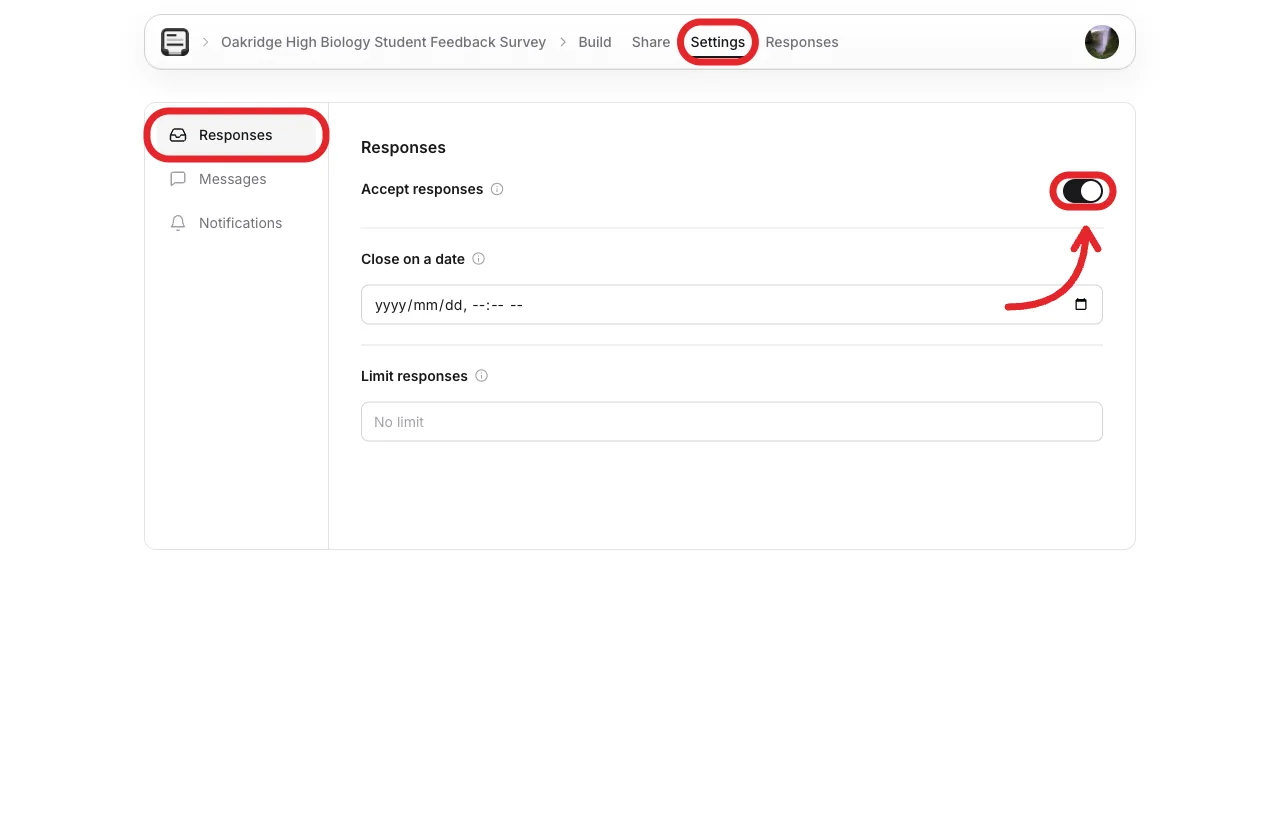
Close the survey when the feedback window ends so late replies do not mix with a new unit.
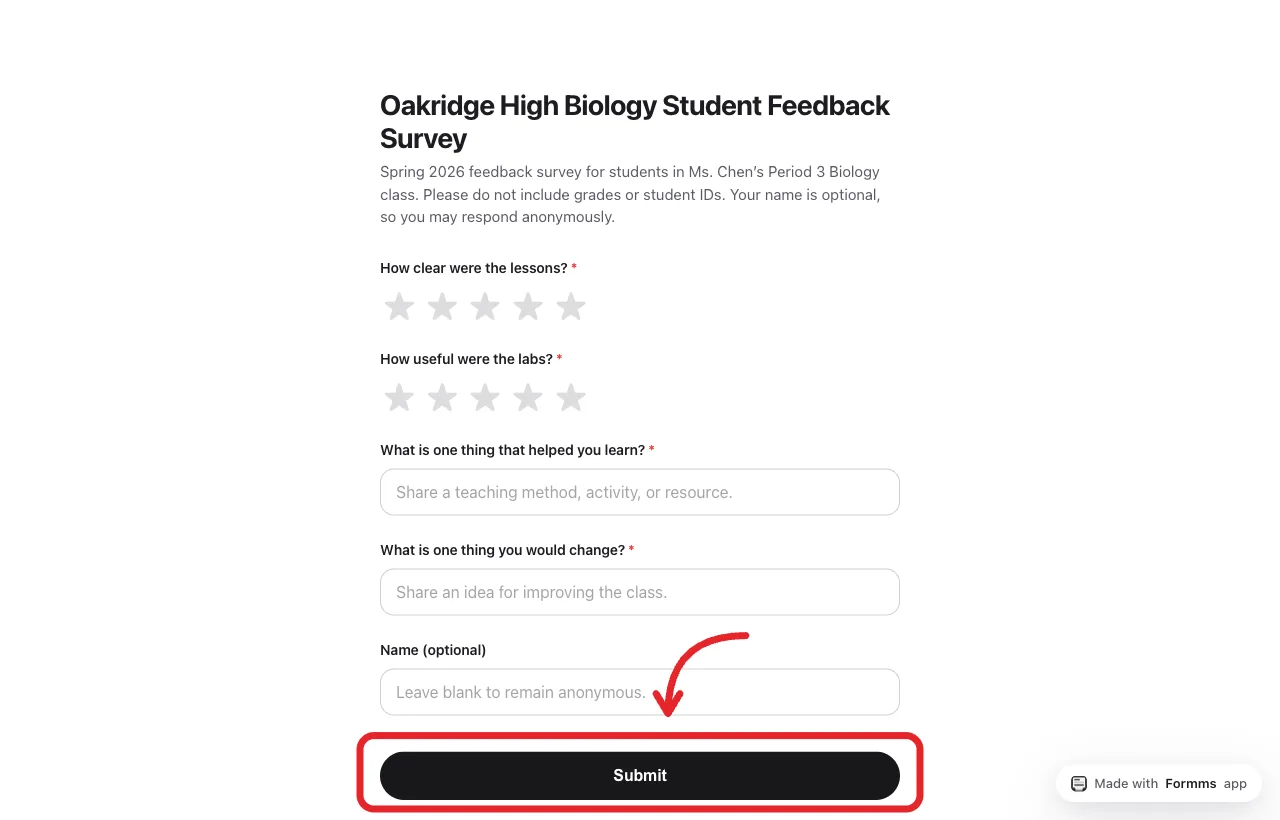
This is what students see. Questions and Submit, not the builder.
A worked example from the same workflow is live at form.ms/gpyv88 (Oakridge High, Period 3 Biology pulse). Fill it once yourself before you send your own link to a class.
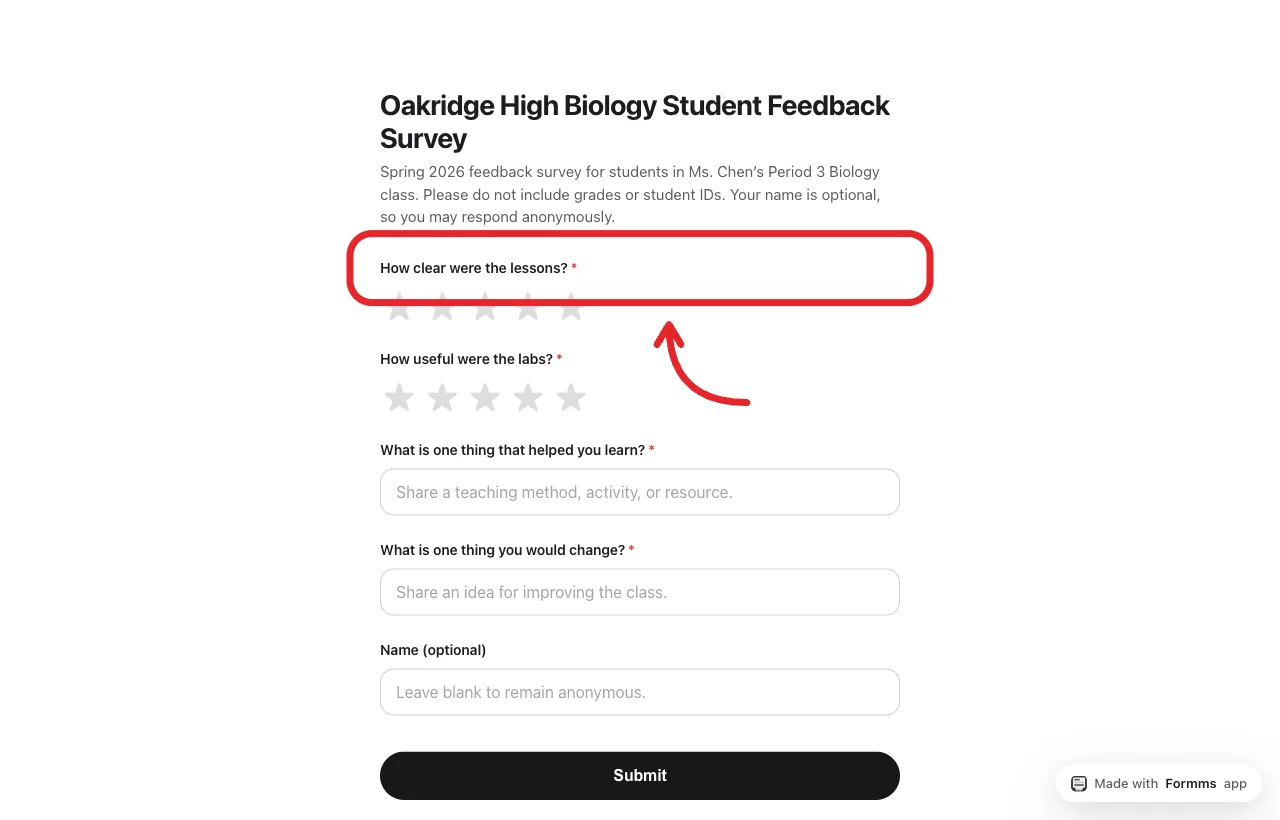
A five-question pulse students can finish before the bell.
For the free unlimited-response path in more detail, see how to create a free form with unlimited responses.
Student Survey Examples
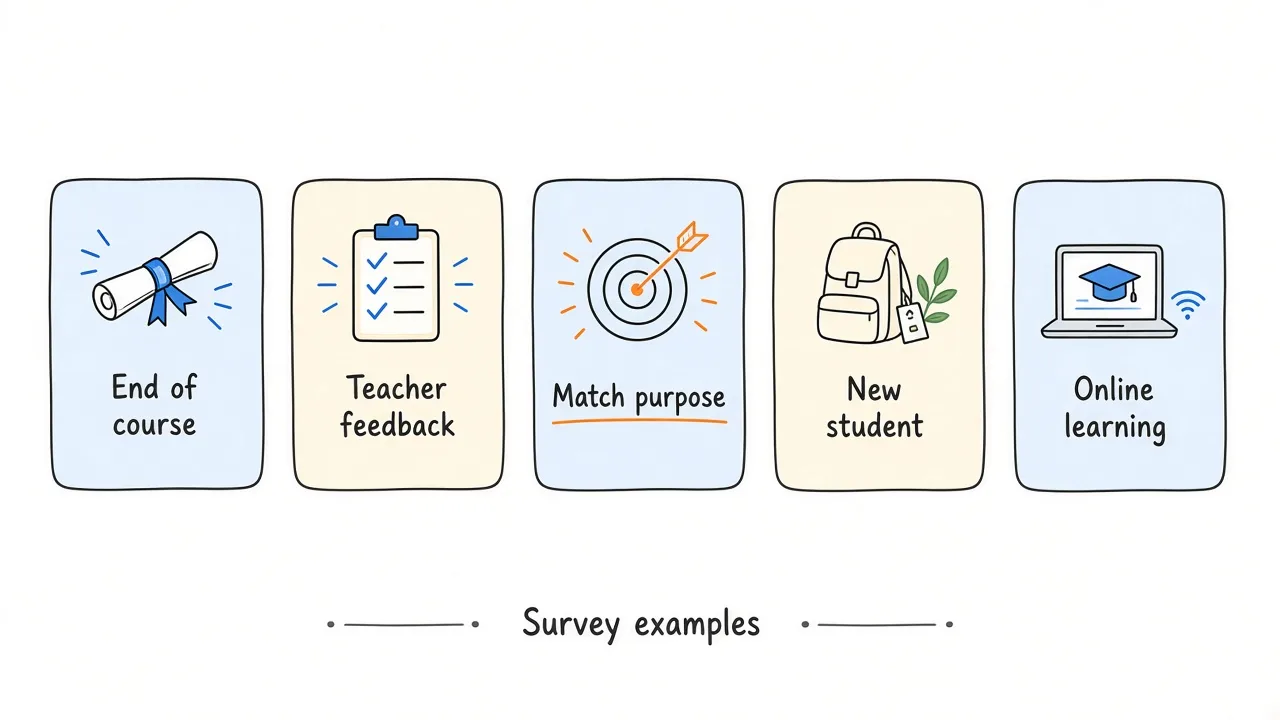
Change the questions when the purpose changes. Do not reuse one mega-form for every job.
End-of-course survey
Goal. Learn what to keep and what to revise next year.
Ask about. Overall satisfaction, most valuable part, workload, one change, optional name.
Skip. School facilities and unrelated climate items.
Teacher feedback survey
Goal. Learn about clarity, support, and feedback quality.
Ask about. Clarity of explanations, comfort asking for help, usefulness of feedback, availability.
Skip. Personality judgments and questions your school policy forbids.
New student survey
Goal. Learn whether onboarding worked.
Ask about. How clear the first-week schedule felt, whether they know where to get help, what still feels confusing.
Skip. Full course evaluations after two days.
School satisfaction survey
Goal. Learn about broader experience across classes and common spaces.
Ask about. Belonging, safety, adult respect, and facilities only if facilities can act.
Plan for. Who reviews results and how sensitive themes are handled.
Online learning survey
Goal. Learn about virtual class friction.
Ask about. Clarity of instructions, ease of finding materials, engagement during live sessions, tech barriers, what would help next week.
Skip. Questions about a physical classroom students never see.
How to Get Better Responses From Students
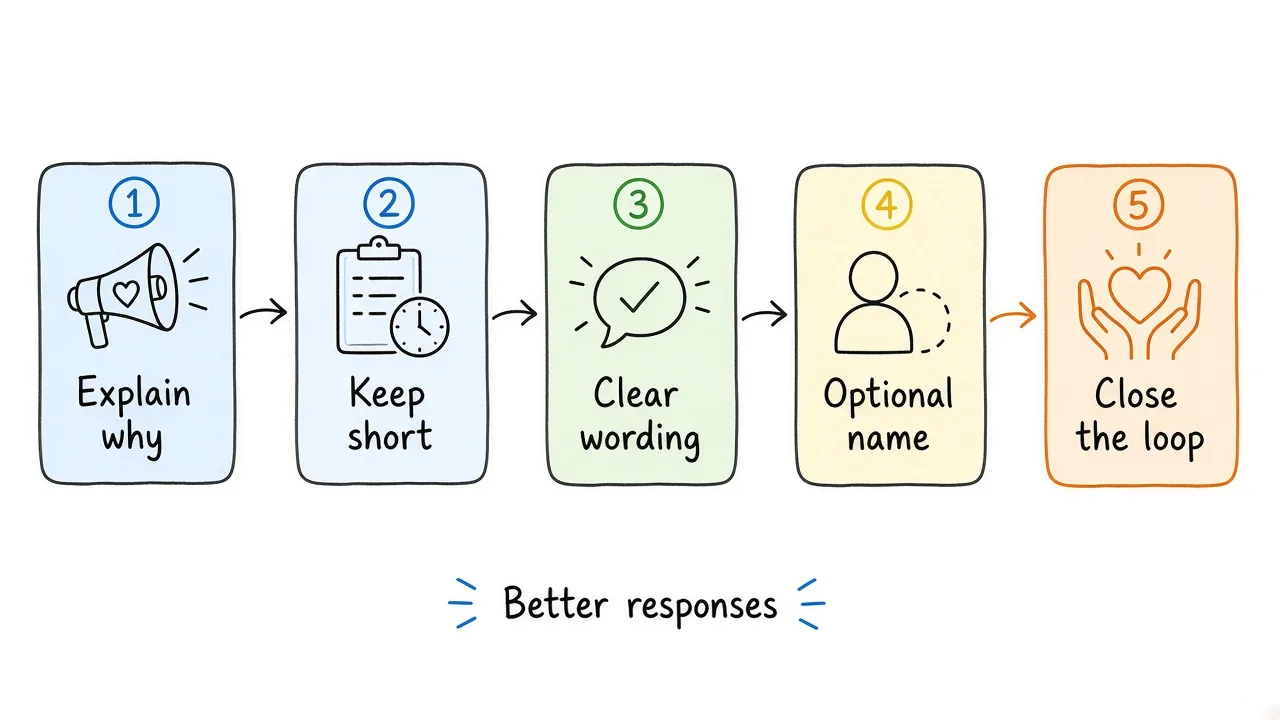
Explain the purpose, keep it short, and show that answers lead to change.
- Explain why you are asking and what you hope to improve.
- Keep the survey focused so it feels respectful of their time.
- Use plain language and mobile-friendly formats.
- Consider anonymity when honesty matters more than follow-up. Keep name optional rather than required if you are unsure.
- Avoid wording that signals the “correct” answer.
- Give enough time in class, or a clear deadline outside class.
- Do not collect grades, IDs, or personal details you will not use.
- Close the loop. Tell students what you learned and what will change.
If students keep answering and never see a result, many will treat the next survey as optional homework. Even a short “here is what you said, here is what we are trying next” builds trust. RAND’s Learn Together analysis put the same problem in numbers. Leaders and teachers often said student voice was highly valued, yet reported lower influence on what actually happens in school. Collection without follow-through is how that gap stays open.
What to Do With Student Survey Results
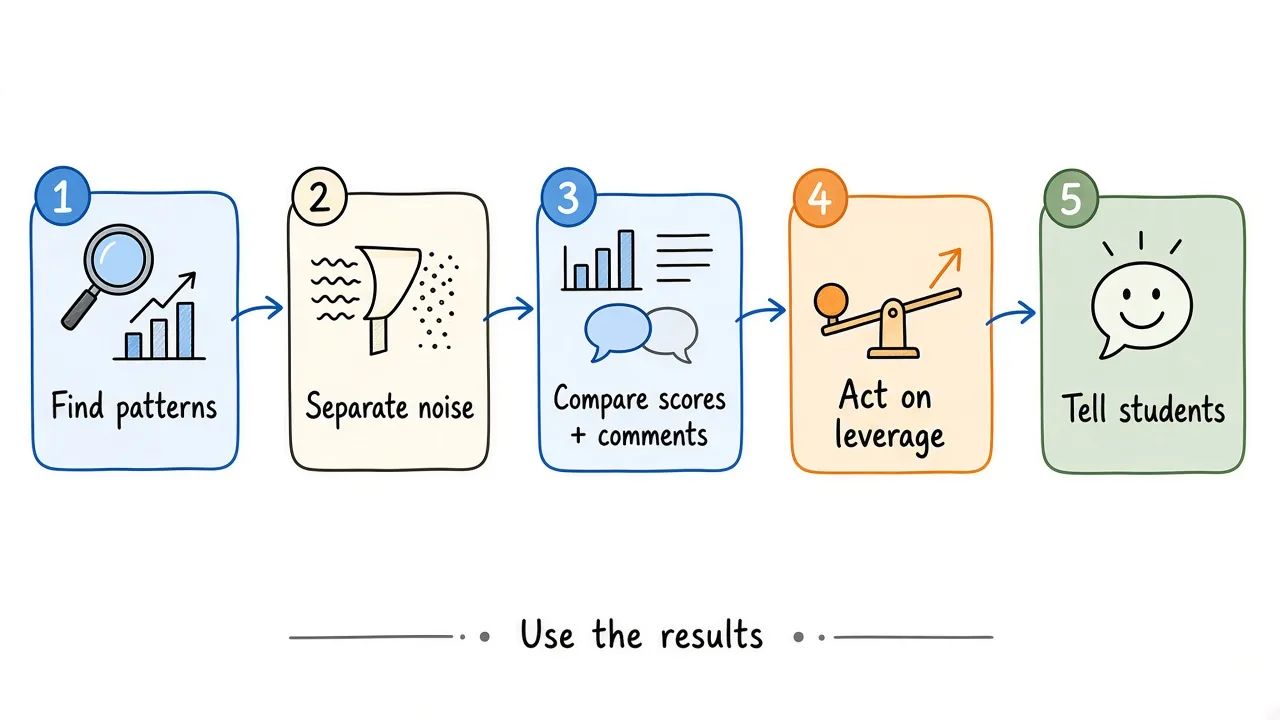
Look for patterns, act on what you control, then tell students what changed.
- Look for recurring patterns in ratings and comments.
- Separate one-off comments from themes that appear again and again.
- Compare quantitative scores with written explanations.
- Identify issues you can realistically act on this week or this term.
- Decide the changes, owners, and timeline.
- Communicate relevant changes back to students.
- Repeat a short pulse later to see whether the change helped.
Not every comment becomes a policy. Your job is to distinguish signal from noise, then act where you have leverage. For schoolwide themes, involve the right teams instead of promising classroom-only fixes.
Student Survey Best Practices
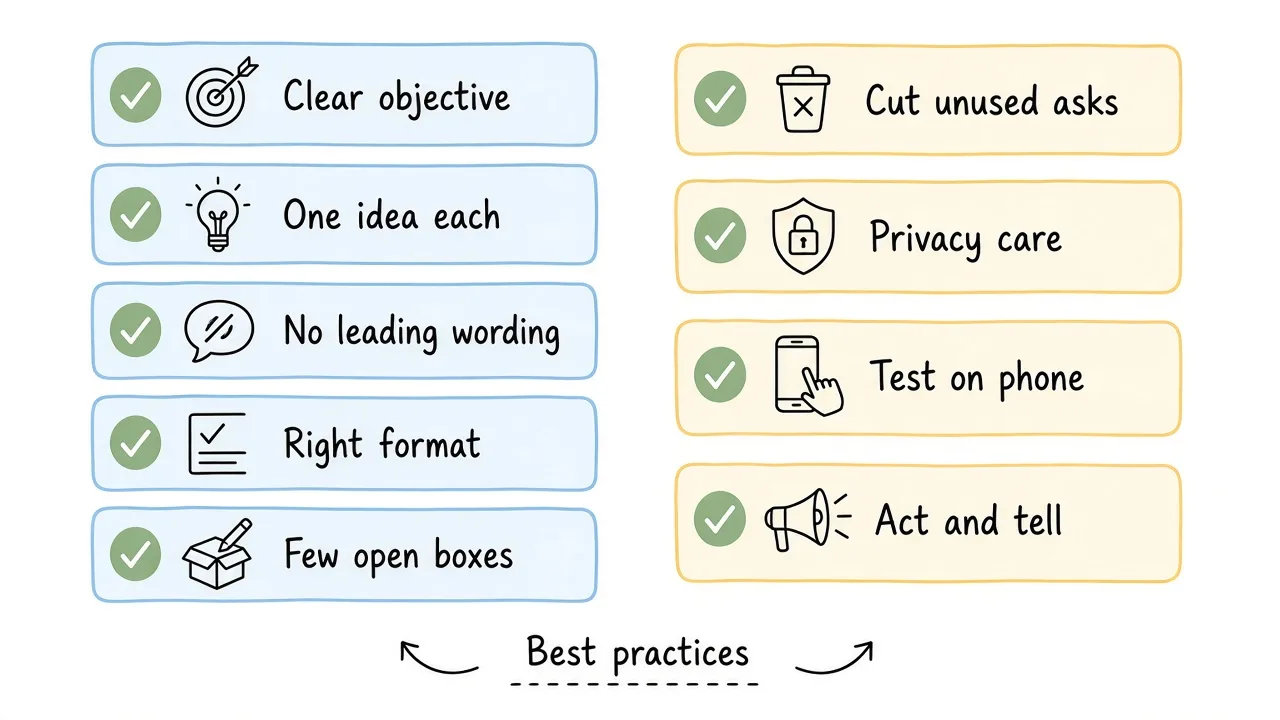
A short checklist beats a long survey you never analyze.
- Have a clear objective before you write questions.
- Keep each question specific to one idea.
- Avoid leading wording.
- Do not combine multiple issues in one item.
- Use the response format that matches the decision.
- Include a small number of open-ended questions.
- Cut questions you will not use.
- Consider anonymity and privacy for your context.
- Test on a phone before you send it to a class.
- Act on feedback and tell students what changed.
Frequently Asked Questions
How many questions should a student survey have?
Enough to answer one decision, and few enough to finish before attention drifts. Many classroom pulses work well at three to seven questions. Longer instruments can be appropriate for school climate work when leadership sponsors the time and analysis.
Should student surveys be anonymous?
Often yes for honesty, especially on teaching and climate topics. Optional name is a middle path. Students who want a follow-up can leave it; others can skip it. Follow your school’s privacy guidance for minors and sensitive topics.
What is the difference between a student survey and a student feedback survey?
“Student survey” is the broad category. A student feedback survey is usually a shorter form aimed at a specific class, unit, or workshop. Course evaluations and school climate surveys are other types under the same umbrella.
When should you send a student survey?
After there is enough experience to comment on (not day one of a new course), and early enough that you can still change something. Mid-unit, end-of-unit, midterm, and end-of-course are common windows. Avoid only collecting feedback when nothing can change.
How do you create a student survey quickly?
Define the decision, pick five questions, choose response types, test once, then share a link or QR. Formms’ student feedback form template is a fast starting point if you want a ready classroom pulse.
Next step
If you already know what you want to learn, start from the student feedback form template, customize it for your class, and share a short link before the next dismissal. The survey only helps if the answers can change what happens next.