
Blog / Customer Experience
How to Collect Better SaaS User Feedback
Context
Learn how to collect better SaaS user feedback with practical strategies, the right questions, and simple feedback forms that turn user insights into better product decisions.
On this page
SaaS teams rarely lack opinions. They lack usable feedback: replies tied to a real job, collected while memory is fresh, covered across the accounts that matter, and turned into a change users can notice.
Better feedback is not more surveys. It is a short ask after a real product moment, aimed at one decision, followed by a fix users can see. This guide shows how to run that system end to end:
- Define the product decision before you write questions
- Trigger on jobs users just finished (or failed)
- Pick a channel that matches the moment
- Ask a few job-based questions from a reusable menu
- Read scores with reasons, segments, and usage context
- Close the loop on a weekly and quarterly cadence
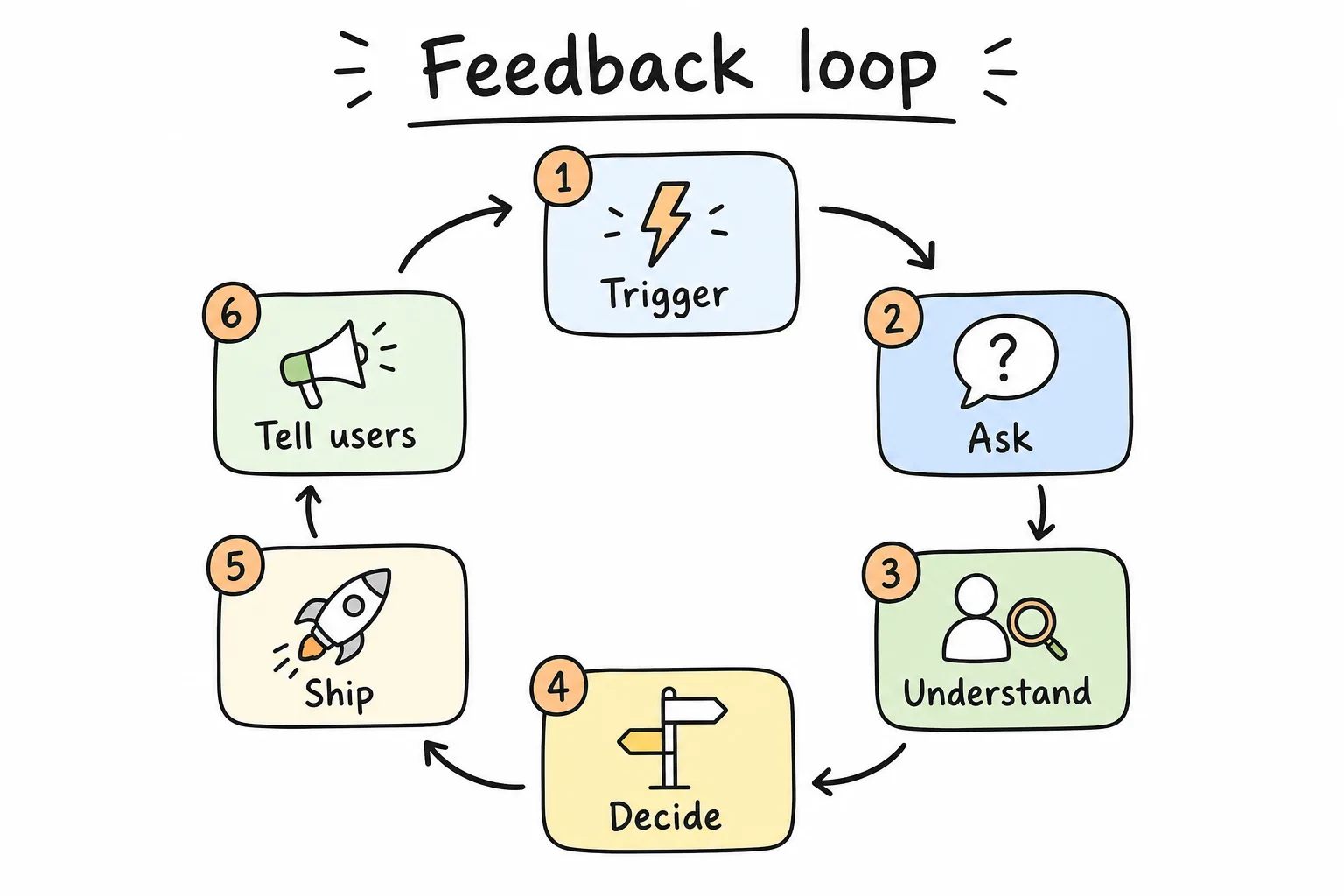
Trigger → ask → understand → decide → ship → tell users. Skip the last two steps and response quality collapses.
What Counts as Better SaaS Feedback
Better feedback is feedback you can act on this quarter. Score it on five properties:
| Property | Weak signal | Strong signal |
|---|---|---|
| Timing | Random quarterly blast | Tied to a completed job or failed job |
| Specificity | “How do you feel about the product?” | “What almost blocked export today?” |
| Coverage | Only power users reply | Segments by plan, role, tenure, ARR |
| Mix | One vanity score | Score + reason + behavior context |
| Follow-through | Insights die in Slack | Owners, dates, and a public “you said / we did” |
Why SaaS Feedback Programs Stall
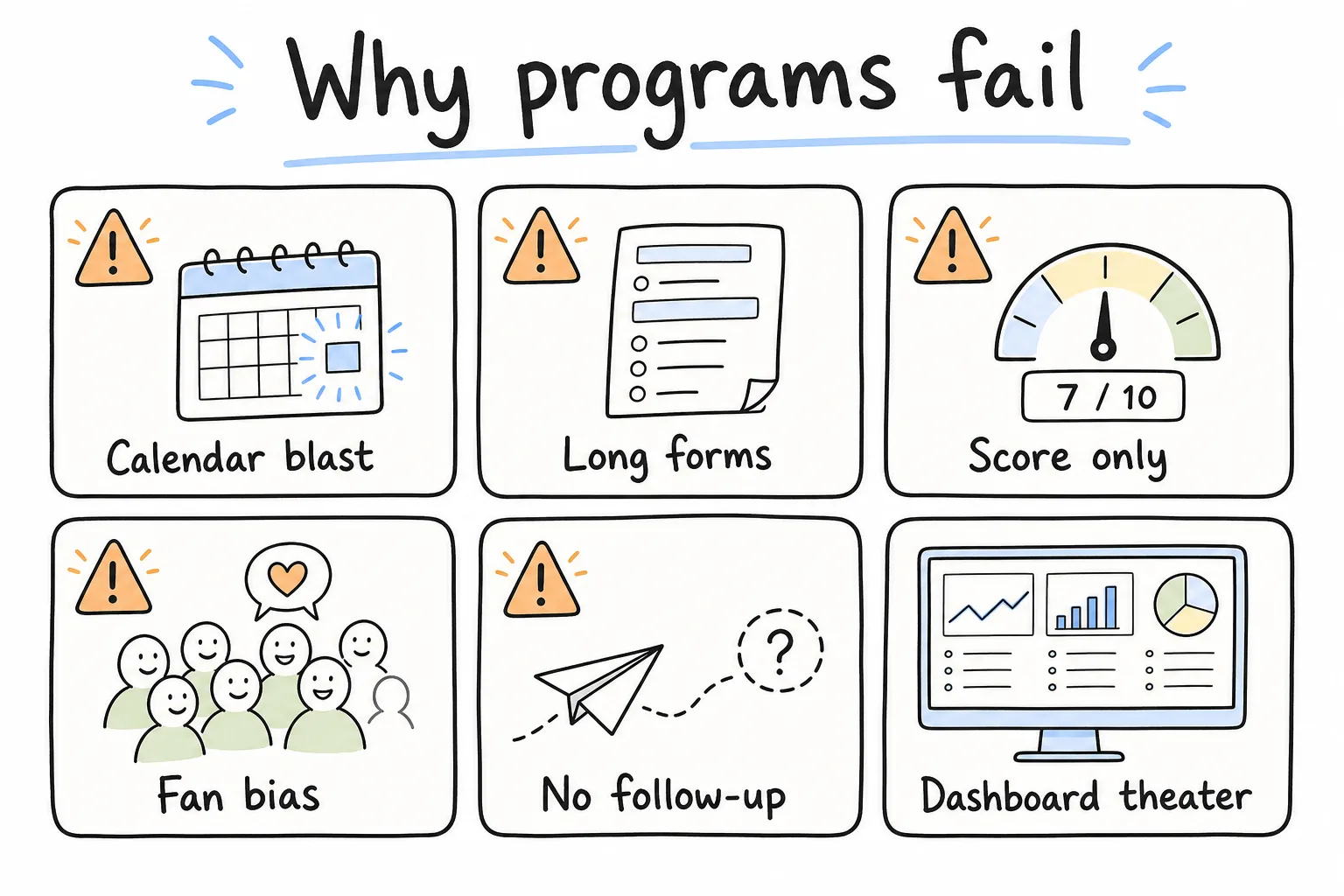
Most “feedback problems” are timing, length, bias, or follow-through problems.
Six failure modes show up again and again:
- Calendar-driven surveys that ignore what the user just did
- Long forms that punish the people who still care enough to answer
- Score-only collection with no “why”
- Founder interviews only with fans (or only with loud churn risks)
- No close-the-loop, so the next survey feels extractive
- Dashboard theater: metrics that never change the backlog
If your program has two or more of these, fix the operating system before you add another tool.
1. Start From the Decision, Not the Form
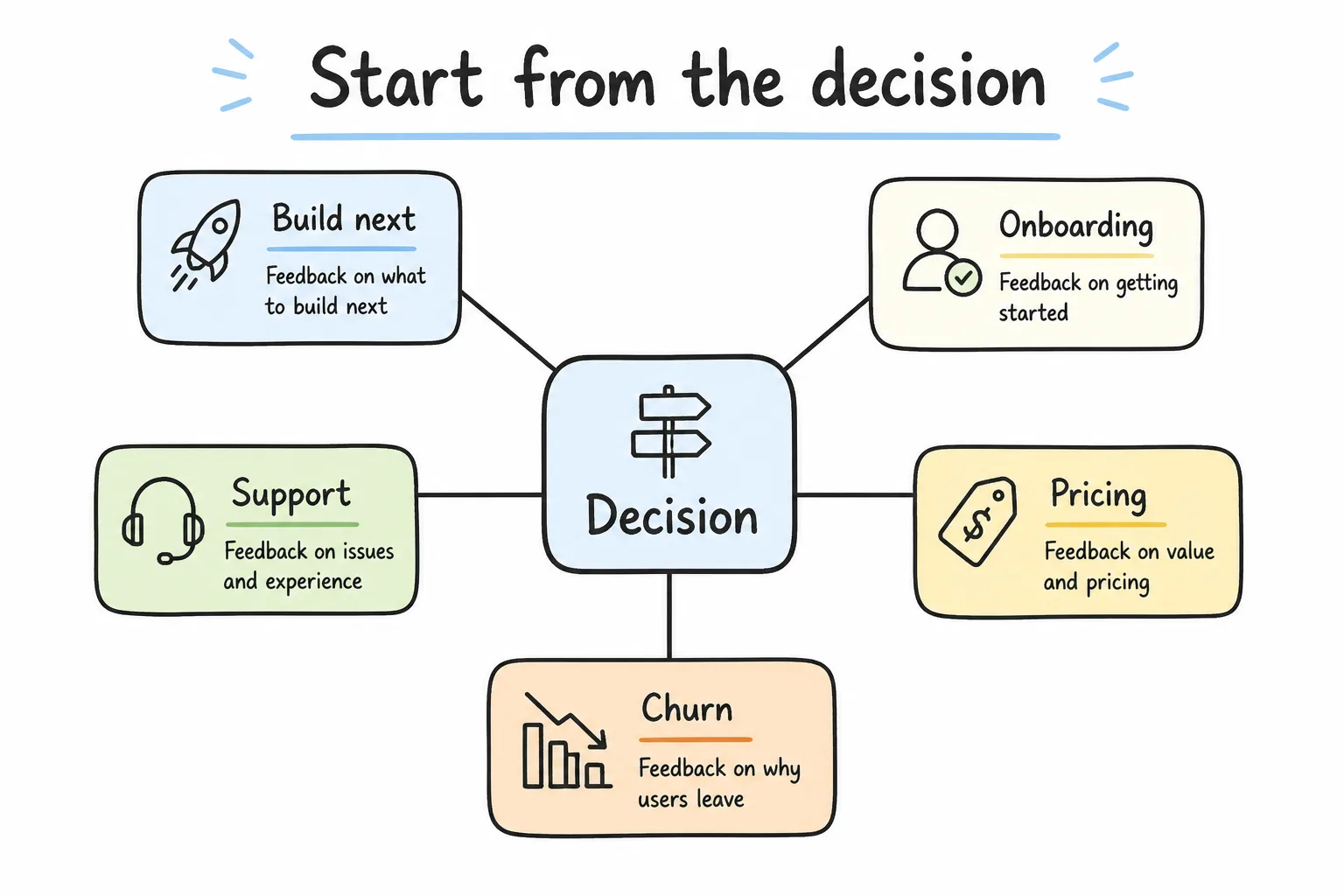
Every survey should unlock one decision. Everything else is optional.
Before you write questions, name the decision the answers must change.
| Decision | Feedback you need | Bad proxy |
|---|---|---|
| What to build next | Jobs blocked, workarounds, frequency | Feature popularity contests alone |
| Whether onboarding works | Time-to-value, drop-off reasons | Homepage NPS only |
| Whether support is healthy | Ticket CSAT + effort + reopen themes | Ticket volume alone |
| Whether pricing feels fair | Expansion friction, plan confusion | App-store star averages |
| Why accounts churn | Exit reasons by segment | Guessing from support tags |
Write the decision on the survey brief. If you cannot name it, do not ship the survey.
2. Collect Feedback at Moments That Matter
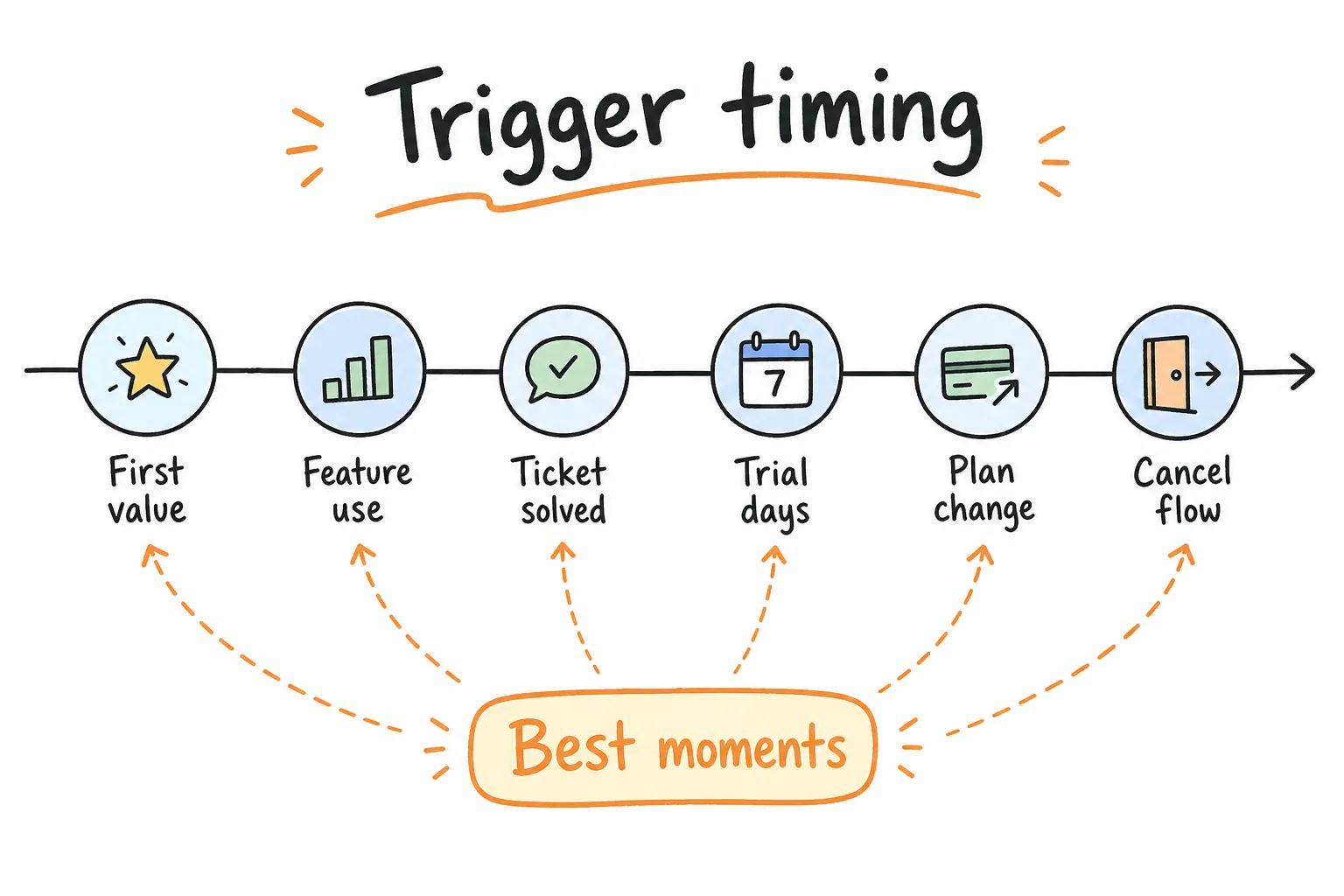
Event triggers beat calendar blasts for honesty and response quality.
SaaS memory is event-shaped. Ask after the job, not after the month.
High-signal triggers
- First value moment (first successful report, first invite accepted, first automation run)
- Feature first-use (within minutes of completion)
- Support ticket solved
- Plan change, trial day 3 / day 7 / day 14
- Expansion attempt (seats, usage limits)
- Cancel / downgrade flow
- Quarterly relationship check for healthy accounts (short, scheduled, labeled)
Low-signal triggers to avoid
- Immediately after login, before any work
- Mid-flow modals during a critical task
- Weekly “how are we doing?” with no context
- Survey storms after every tiny click
Best practice: One primary question per trigger. Add one optional open text. Save deep interviews for accounts where the stakes justify the calendar invite.
3. Pick Channels That Match the Job
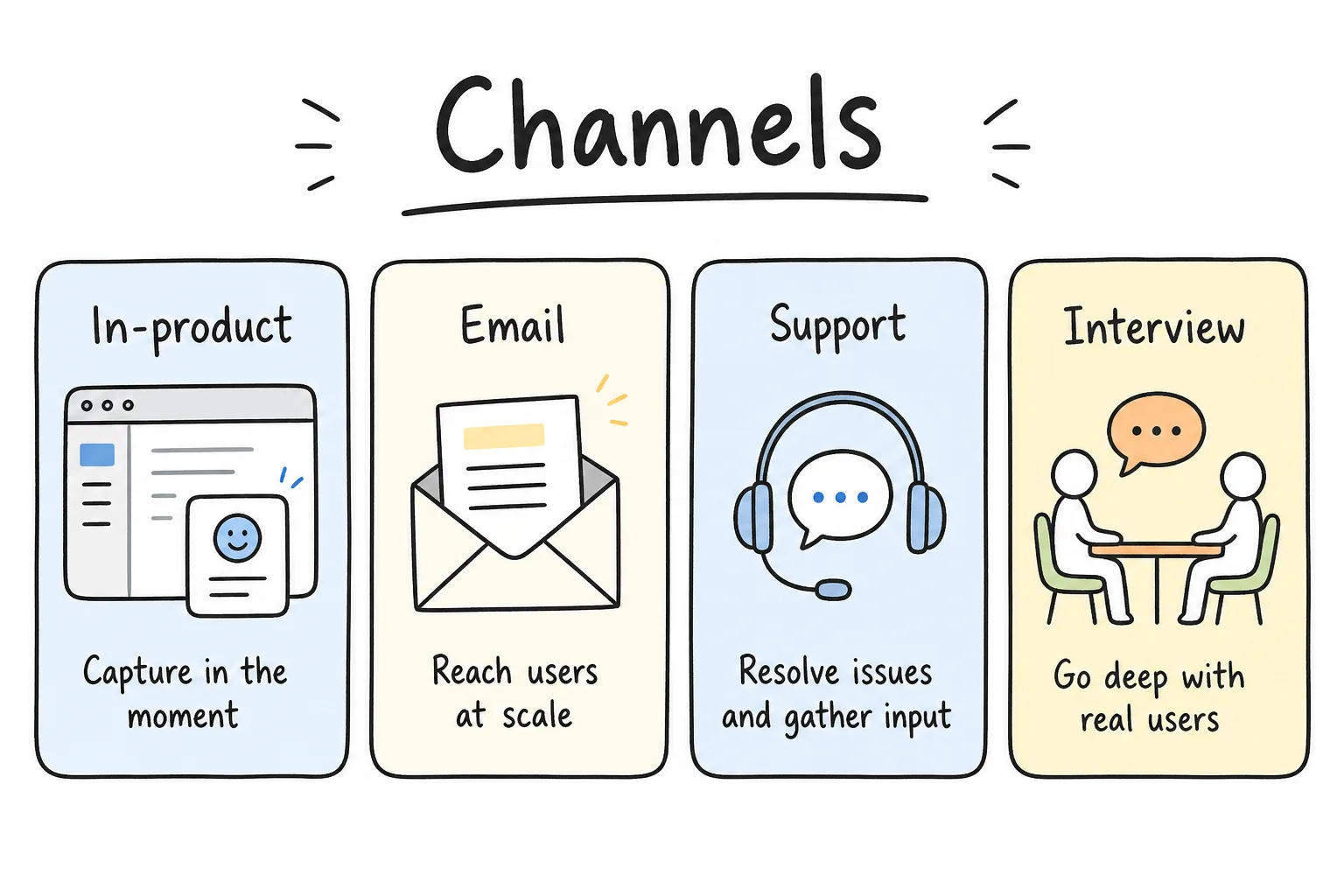
Match channel to context. In-product for workflow truth; email for relationship pulse; interviews for ambiguity.
| Channel | Best for | Watch-outs |
|---|---|---|
| In-product micro-survey | Feature and workflow feedback | Do not block the critical path |
| Email / link survey | Relationship NPS, admin-only topics | Lower coverage; bias toward engaged inboxes |
| Support post-ticket | Service quality and effort | Separate from product NPS |
| Live interview / call | Ambiguous problems, roadmap bets | Expensive; sample carefully |
| Community / sales notes | Edge cases and narrative color | Hard to quantify; tag themes |
| QR / offline events | Conferences, field teams | See QR feedback patterns |
For B2B programs, response coverage is part of data quality. If only cheerful champions reply, your roadmap learns the wrong lesson. Track response rate by plan and ARR tier, not only the headline percentage. A survey response rate calculator helps you keep that metric honest. Treat non-response as a bias risk, not a footnote.
4. Design Questions Users Can Answer Fast
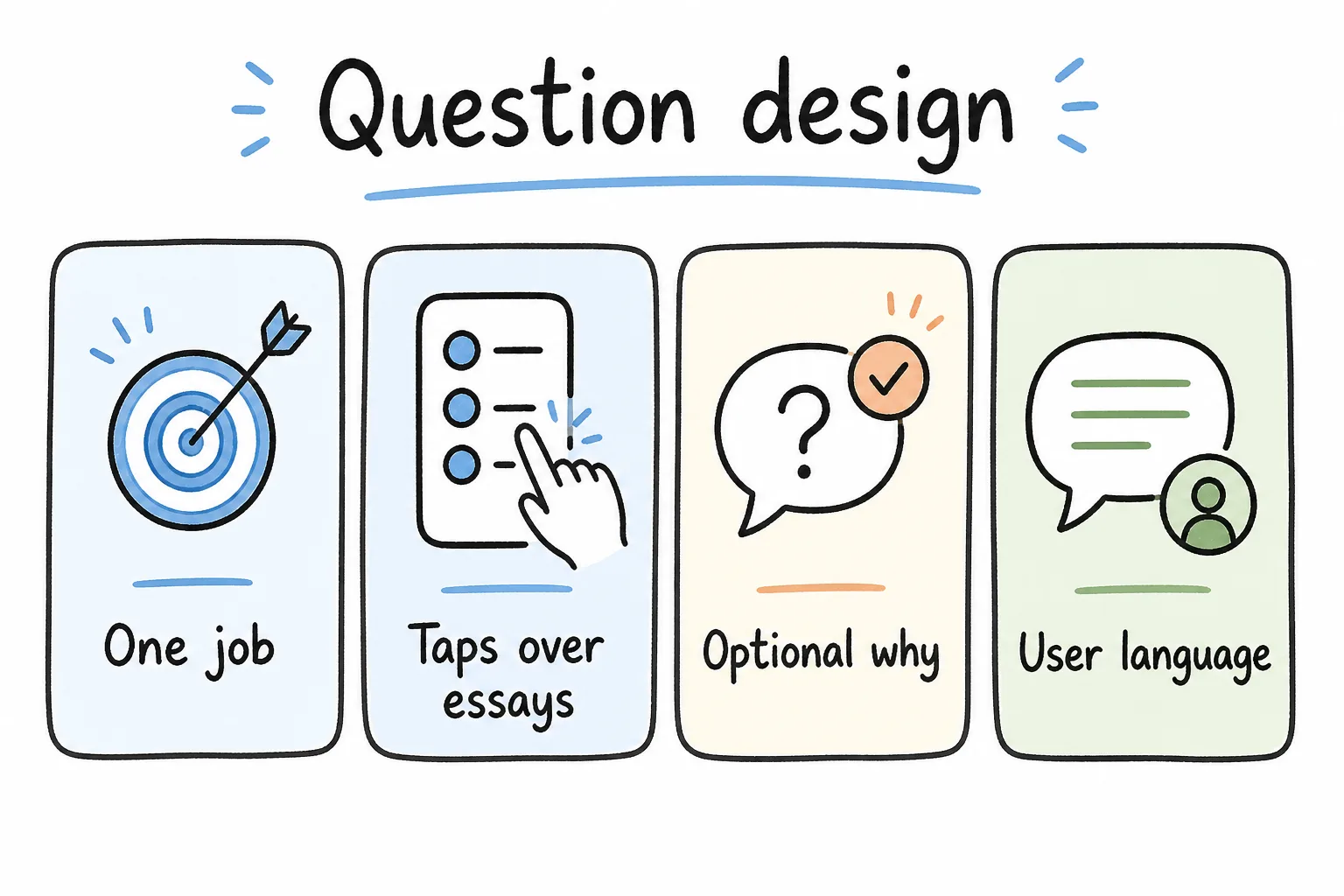
Short, single-focus, job-based questions beat clever multi-part forms.
Principles
- Ask about one job per question
- Prefer taps over essays
- Put open text last and optional
- Use the customer’s language (“export CSV”), not your epic name (“Project Orion”)
- Keep relationship surveys short; keep transactional surveys shorter
- Use neutral wording and balanced scales so you do not coach the answer
Length is a data-quality issue, not just a politeness rule. Nielsen Norman Group notes that long surveys lower response rates and skew results toward highly motivated users, so a short transactional ask usually beats a comprehensive form that only fans and critics finish.
A 25-question menu for SaaS (pick 2-5 per survey)
Outcome / value
- What were you trying to accomplish today?
- Did you finish that job successfully?
- How valuable is [workflow] to your weekly work?
Friction / effort
- How easy was it to complete [task]?
- What almost stopped you?
- Which step felt slowest or most confusing?
Feature usefulness
- How often do you use [feature]?
- If we removed [feature], how would that affect your work?
- What workaround do you still use outside the product?
Onboarding
- How clear was it to reach your first win?
- What help did you need that you could not find?
- How long until the product felt useful?
Loyalty / relationship
- How likely are you to recommend us to a peer? (NPS-style 0–10)
- What is the main reason for your score?
- What would make you more confident renewing?
Support adjacency
- How satisfied were you with this support experience? (CSAT-style)
- How easy was it to get a resolution? (CES-style)
Roadmap / priority
- Which of these problems should we solve next? (forced rank, short list)
- What is missing for your team to expand seats?
Risk / churn
- What almost made you cancel or switch?
- Which competitor or spreadsheet do you still keep “just in case”?
Role / context (qualification, not vanity)
- What is your primary role?
- How many people on your team use the product weekly?
- Which plan outcome matters most this quarter (save time, revenue, compliance, collaboration)?
- May we follow up about your answers?
You do not need all 25 in one form. Match a small set to the trigger and the decision from step 1.
For broader support banks, pair this with 100 customer service survey questions. For satisfaction survey structure, see the customer satisfaction survey guide.
5. Use the Right Metric Mix (and Segment It)
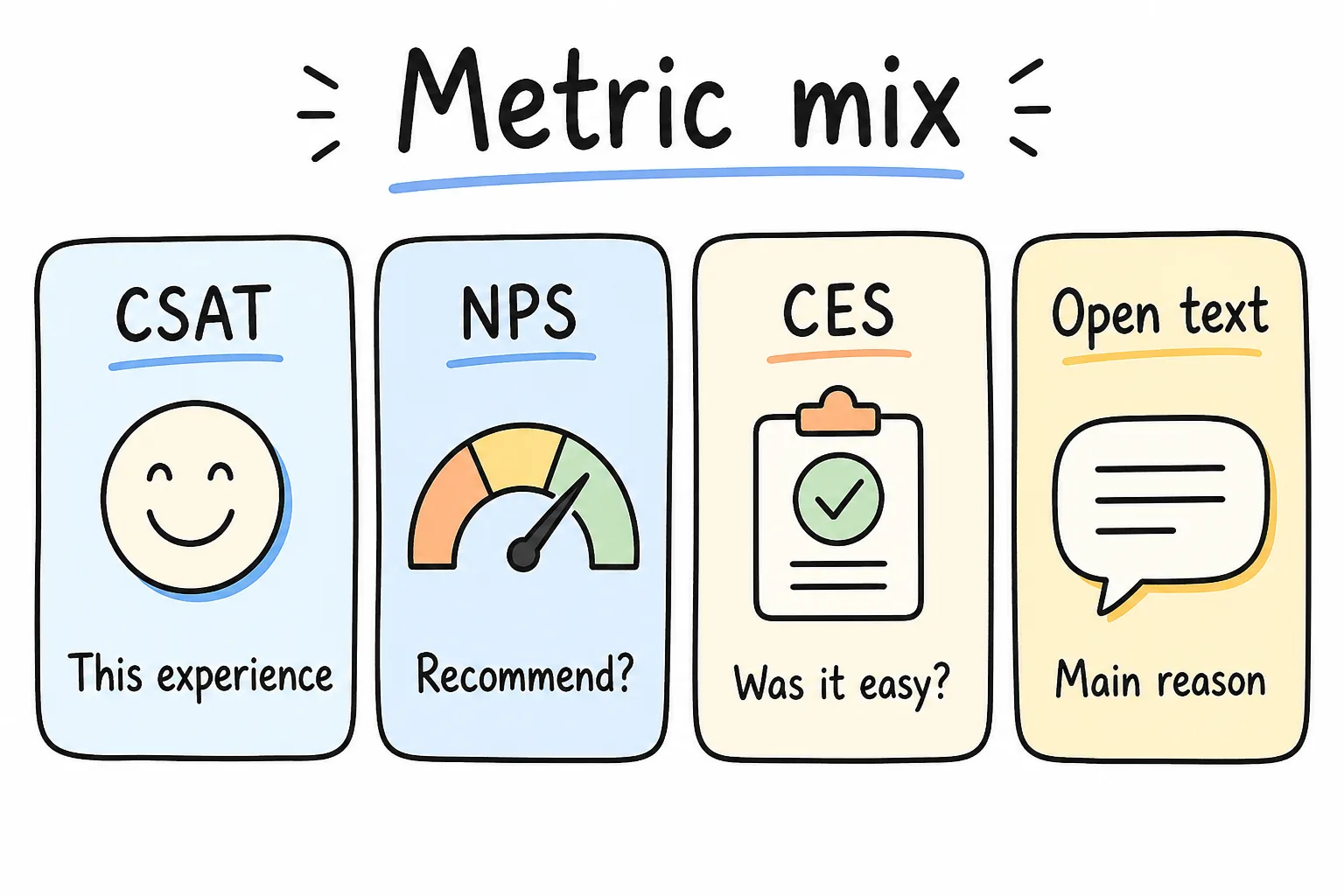
Scores without reasons are thin. Reasons without scores are hard to trend. Use both.
| Metric | Question shape | Use when |
|---|---|---|
| CSAT | Satisfaction with a specific experience | Tickets, onboarding steps, feature first-use |
| NPS | Likelihood to recommend | Relationship pulse, expansion health |
| CES | Ease of completing the job | Friction hypotheses |
| Open text | “What is the main reason?” | Always, at least optionally |
| Behavior | Usage, retention, funnels | Validate what people say |
Do not average ticket CSAT into relationship NPS and call it “health.” Label journeys separately. When you have tallies, calculate with the CSAT calculator and NPS calculator so definitions stay consistent across product and support.
Segment before you trust the average
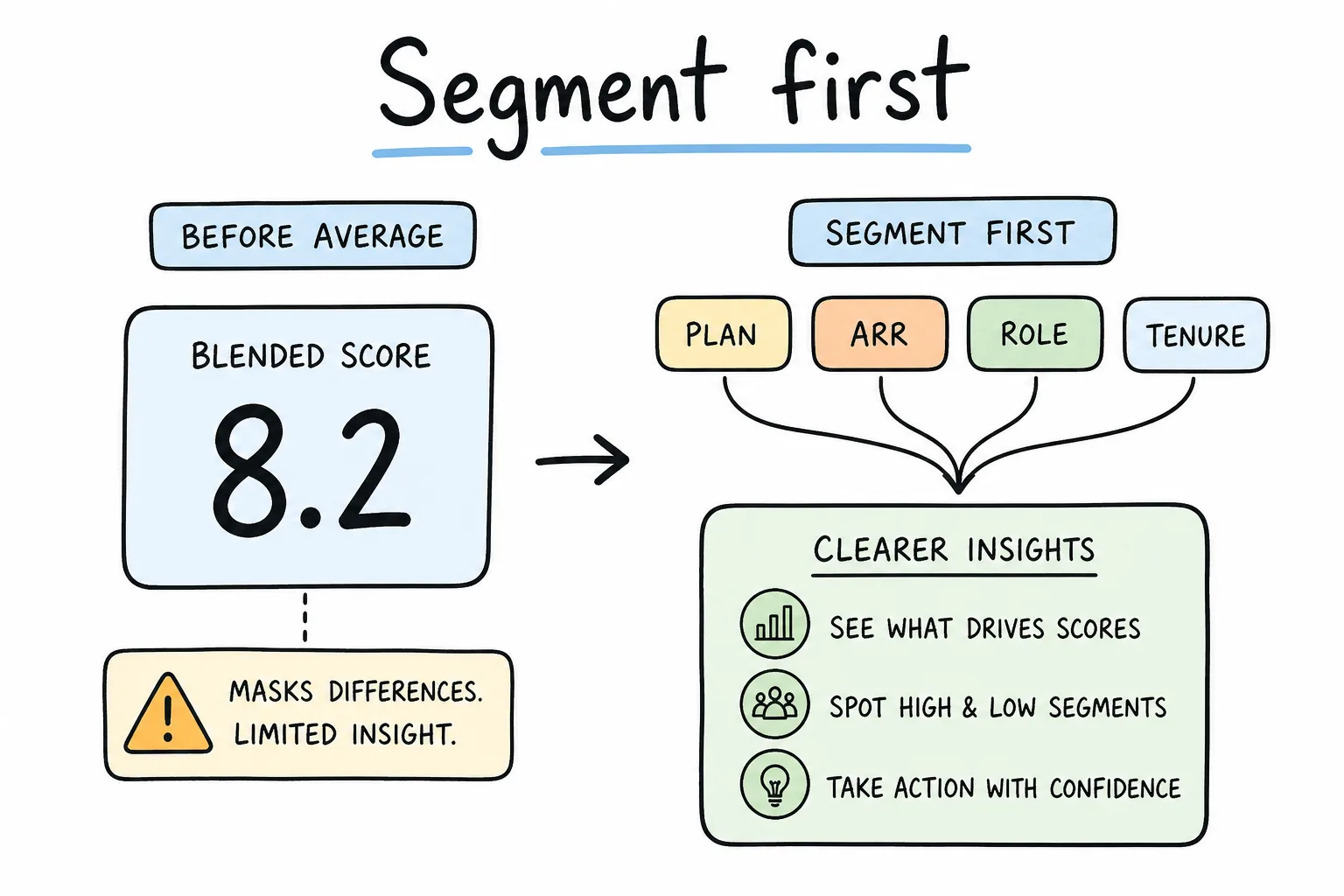
Coverage by revenue segment is a quality metric, not a vanity afterthought.
A blended 8.2 happiness score can hide a burning enterprise segment.
Minimum useful cuts:
- Plan / billing tier
- Account ARR or seat count
- Role (admin, end user, executive sponsor)
- Tenure (week 1, month 1, month 6+)
- Product area last used
- New vs expansion vs renewing
Also separate users from buyers. An end user may love the UI while the buyer hates procurement friction. Interview both.
6. Analyze, Close the Loop, and Run a Cadence
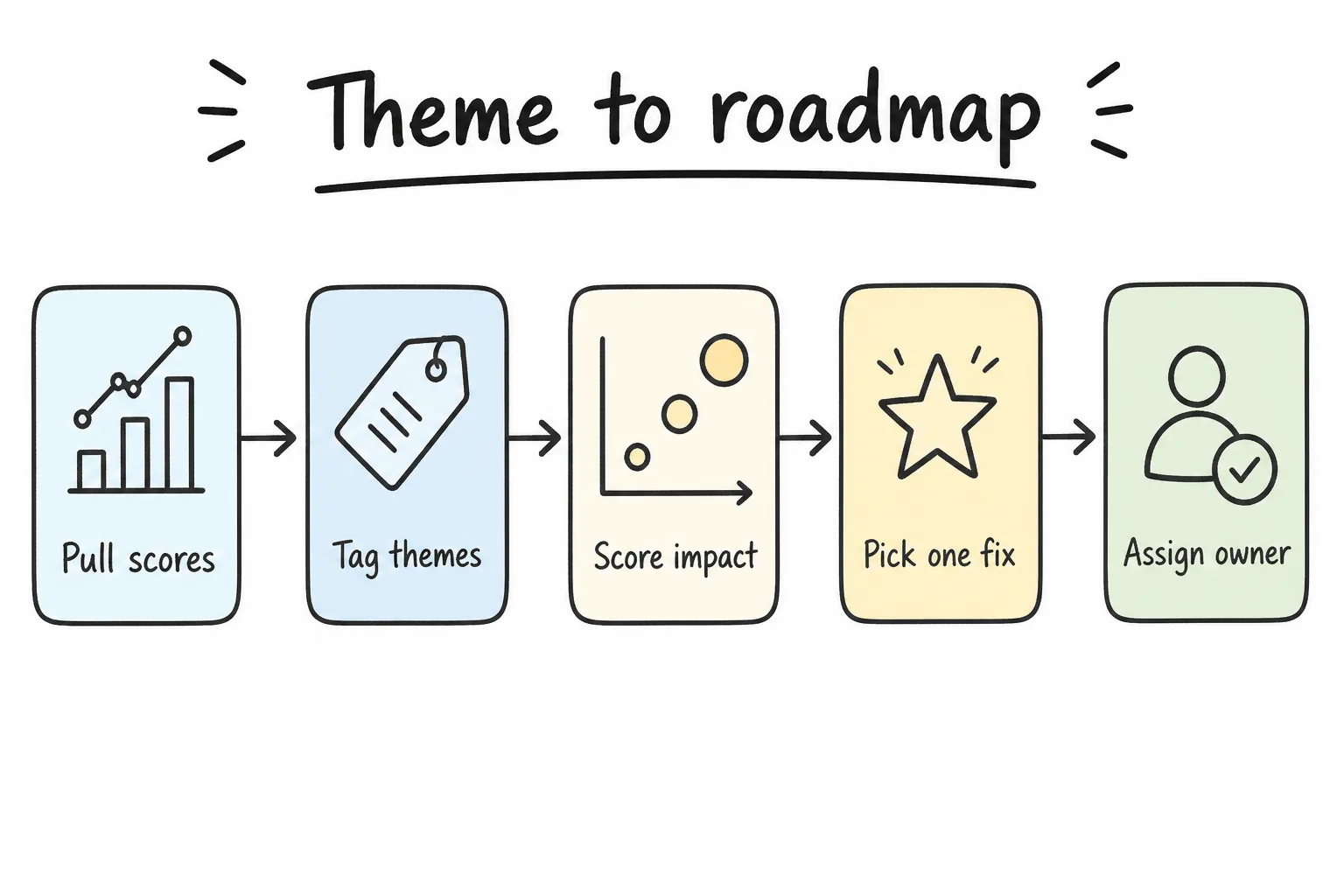
Frequency × severity × account value beats the loudest Slack thread.
Weekly triage ritual
- Pull new scores and comments for each journey
- Tag themes (billing, permissions, performance, unclear copy, integrations)
- Count frequency × severity × ARR exposed
- Pick one fix that moves the most risk this sprint
- Assign an owner and a re-measure date
Separate three buckets
| Bucket | Example | Owner |
|---|---|---|
| Bug / reliability | Export fails for CSV with emoji | Engineering |
| UX friction | Invite flow needs three clicks too many | Product + design |
| Strategy / positioning | Users expected analytics you do not sell | Product + marketing |
Do not let strategy debates block a one-day permission bug. Do not pretend a positioning gap is a tooltip.
Close the loop
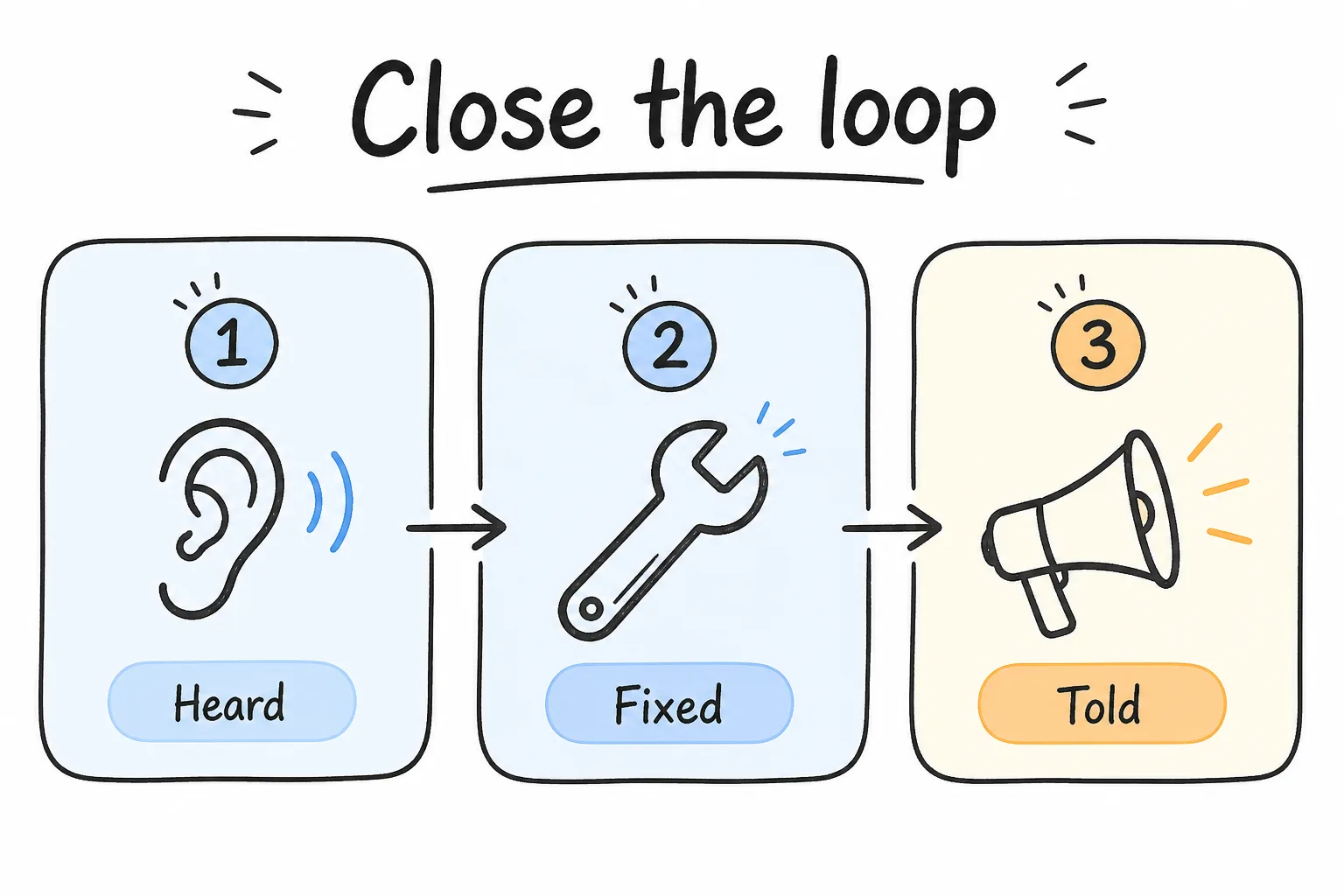
Heard → fixed → told. Miss any step and survey fatigue accelerates.
Users learn whether feedback is theater. Bain’s work on closing the loop makes the incentive problem explicit: people stop answering when surveys feel long and responses disappear into a black hole, and they engage when someone follows up and improves the experience.
Practical moves:
- Reply to detractors and low CSAT within a defined SLA
- Publish a short changelog note: “You asked for bulk invites; shipped Tuesday”
- Tell interviewed accounts what changed from their call
- Suppress repeat surveys for recent respondents
- Show in-product “What’s new” that maps to known complaints
Key takeaway: Closing the loop is not courtesy. It is how you buy trust for the next question.
Operating cadence
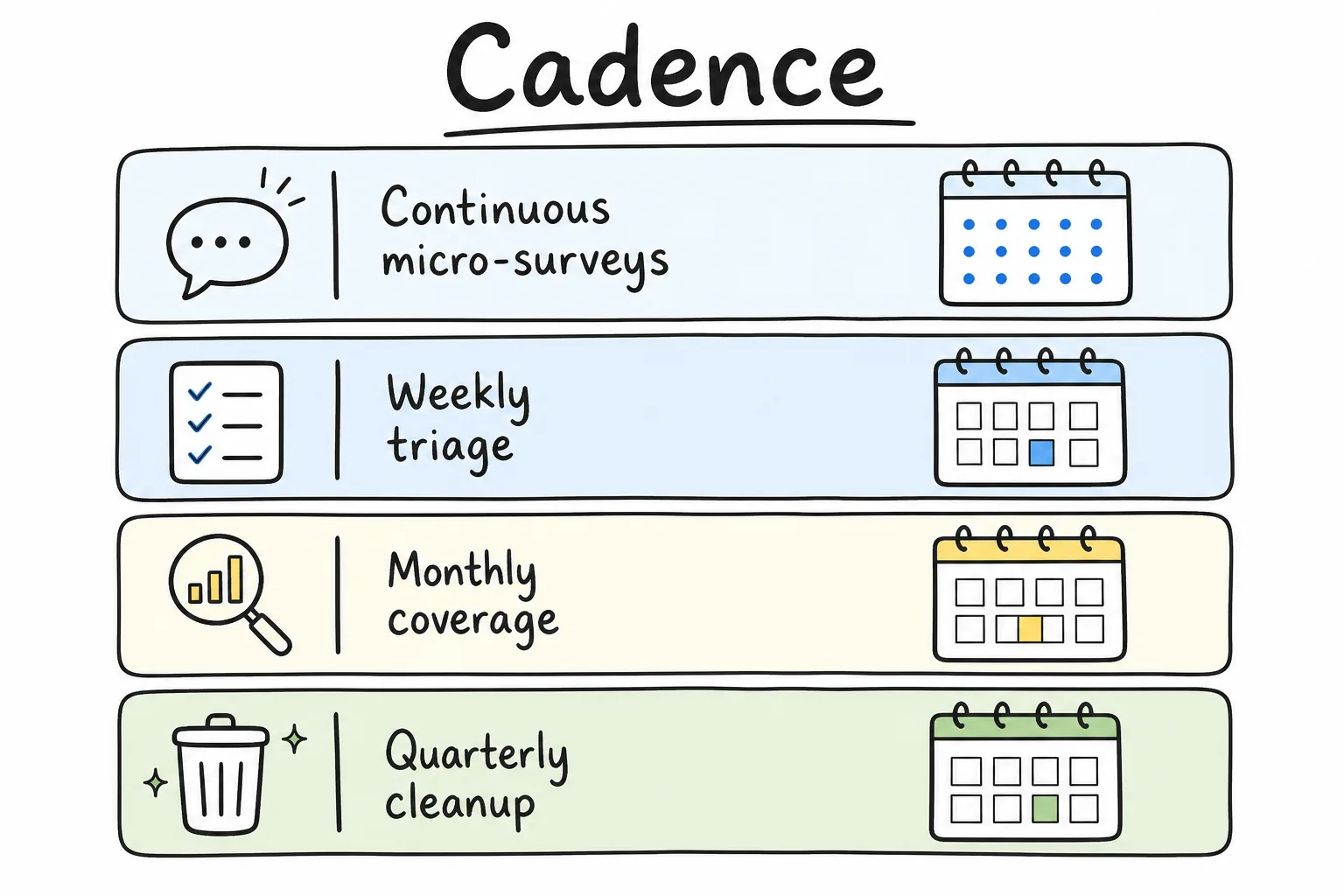
Continuous collection, weekly triage, quarterly cleanup.
| Cadence | Activity |
|---|---|
| Continuous | Event-triggered micro-surveys on 2–3 critical jobs |
| Weekly | Theme triage with product + support |
| Monthly | Relationship sample for key accounts; coverage review |
| Quarterly | Deeper interviews; metric definition audit; kill unused surveys |
Keep a living doc of active surveys with owner, trigger, question text, and kill date. Orphan surveys are how brands earn a reputation for spam.
Common Mistakes When Collecting SaaS User Feedback
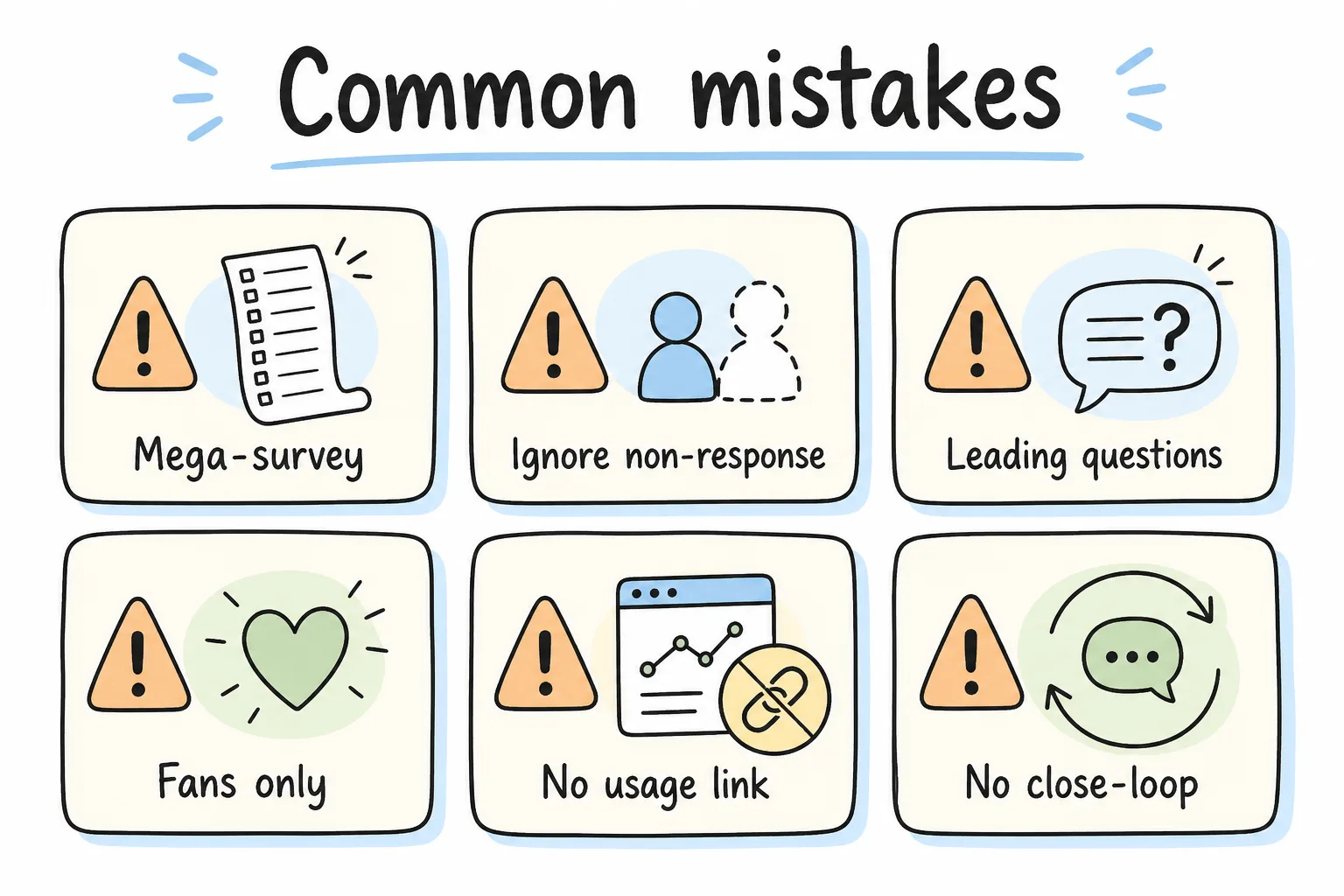
Bias and follow-through kill more programs than “wrong tools.”
| Mistake | Why it hurts | Fix |
|---|---|---|
| Asking everything in one mega-survey | Drop-off and shallow answers | Split by trigger |
| Ignoring non-response | Selection bias | Track coverage by segment |
| Leading questions | Fake validation | Neutral wording, forced tradeoffs |
| Only interviewing fans | Roadmap blindness | Sample by risk and revenue |
| No link to usage data | Stories without evidence | Join feedback to events |
| Changing scales every month | Broken trends | Freeze definitions |
| Never saying what changed | Survey fatigue | Close the loop publicly |
Checklist: Better SaaS Feedback in Practice
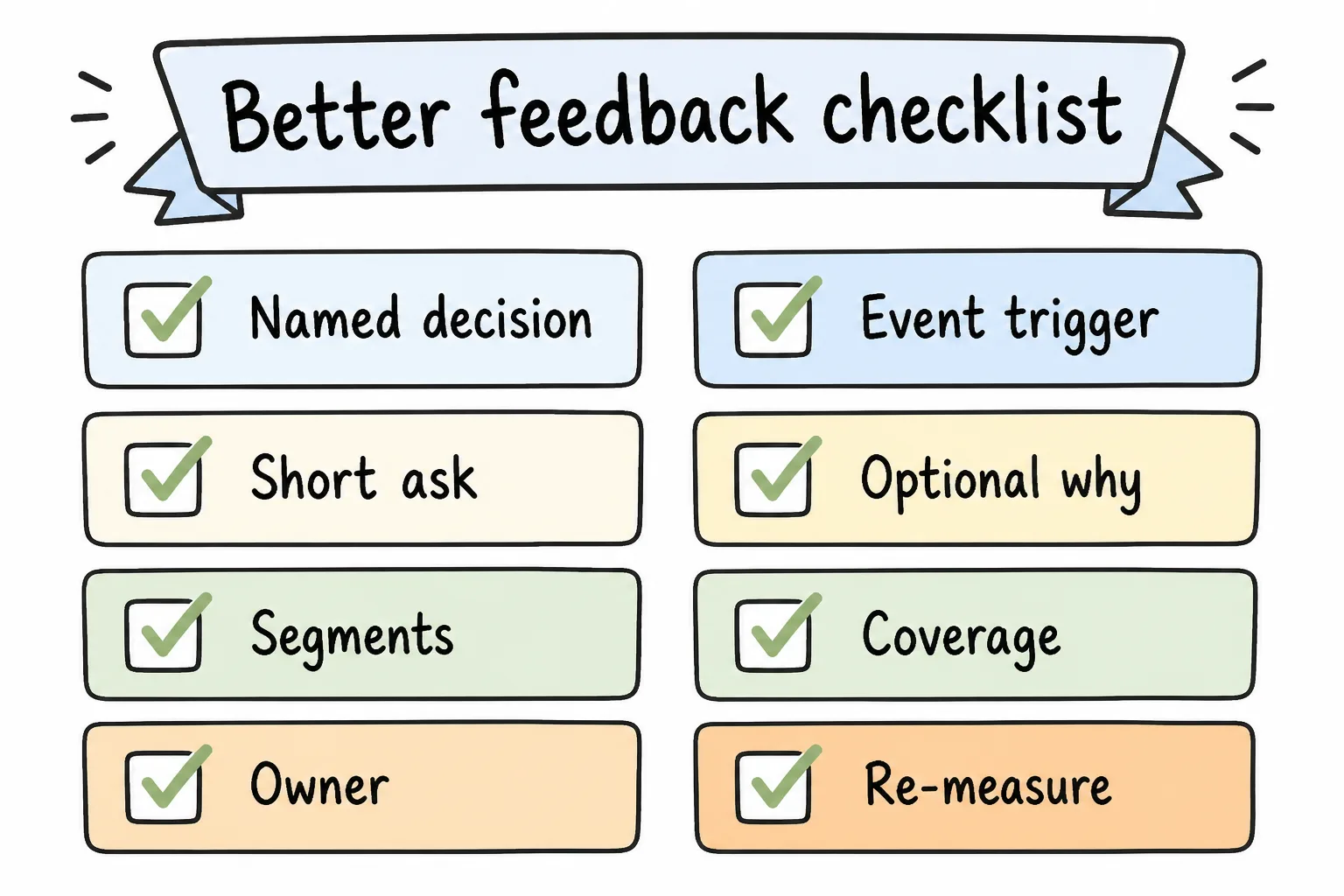
Ship the operating checklist with the survey, not after the responses disappoint you.
- Named decision for each survey
- Trigger tied to a completed or failed job
- 2–5 questions max for transactional asks
- Optional “why” open text
- Segments defined (plan, role, tenure, ARR)
- Response coverage tracked
- Theme triage owner and weekly slot
- Low-score recovery SLA
- Re-measure date after changes
- Kill date for every live survey
Frequently Asked Questions
How do I collect better SaaS user feedback without annoying users?
Ask less, ask closer to the event, keep forms short, throttle repeats, and show that prior feedback created changes. Annoyance usually comes from volume and irrelevance, not from a single well-timed question.
Should SaaS feedback be in-app or email?
Use in-product for workflow and feature truth. Use email or admin links for relationship questions and buyer topics. Many healthy programs use both with clear ownership.
How many questions should a SaaS product survey include?
For transactional triggers, aim for one rating plus one optional comment, occasionally up to three to five taps. Longer instruments belong in scheduled research with clear consent and time expectation.
Is NPS enough for SaaS product feedback?
No. NPS is a useful loyalty pulse. Pair it with task-level CSAT/CES, open reasons, and usage data. Calculate consistently with an NPS calculator when you collect recommend scores.
How often should we survey SaaS customers?
Continuously on a few critical events; lightly on a monthly or quarterly relationship sample for key accounts. Audit and prune surveys every quarter.
What if response rates are low?
Shorten the ask, improve timing, switch channel toward where users already work, personalize by segment, and close the loop on prior feedback. Also check whether you are only inviting a tiny active subset.
How do we prioritize conflicting feedback?
Score themes by frequency, severity, and revenue or strategic exposure. Let a few high-ARR blockers beat a large pile of low-impact polish requests when necessary, and document why.
Should we incentivize SaaS survey responses?
Small incentives can help long research sessions. For micro-surveys, relevance and speed usually beat gift cards. Avoid incentives that buy unserious answers.
How do qualitative interviews fit?
Use interviews to explain quantitative patterns and to explore ambiguous bets. Do not replace scaled measurement with five anecdotes, and do not replace interviews with scores when you do not yet understand the problem.
What tools do I need?
Any stack that can trigger a short form, store responses, and export counts can work. The operating system (triggers, ownership, close-the-loop) matters more than the logo on the form.
Conclusion
Collecting better SaaS user feedback means treating surveys as instruments for decisions, not as a content calendar. Trigger on real jobs, keep asks short, mix scores with reasons, segment by the accounts that matter, and close the loop so users keep answering.
When you need structured forms for those moments, any form builder with a public URL will do. If you want a builder that includes a short link and QR with every form for in-product or field collection, Formms is one option. Timing, question design, and follow-through still decide whether the feedback is worth collecting.