
Blog / How-To Guides
10 Best WPForms Alternatives Compared & Ranked in 2026
Context
Discover the 10 best WPForms alternatives in 2026, ranked by features, pricing, ease of use, integrations, AI capabilities, and overall value.
On this page
WPForms is the WordPress form plugin many site owners meet first. The Lite version is free on WordPress.org, the drag-and-drop builder is familiar, and the paid tiers unlock payments, entry storage, surveys, and marketing add-ons. For a lot of sites that is enough.
It is also why so many teams start shopping for WPForms alternatives in 2026. Lite leaves important work behind a paywall. Paid plans use introductory first-year pricing that roughly doubles at renewal. And not every form job belongs inside WordPress at all: some forms need a short public link, a phone-first draft, or a host that is not your theme and plugin stack.
This guide ranks ten alternatives worth comparing against WPForms. The list covers hosted builders you can share with a short link, WordPress-native plugins, and the free classics that still power millions of contact pages.
How we ranked these WPForms alternatives
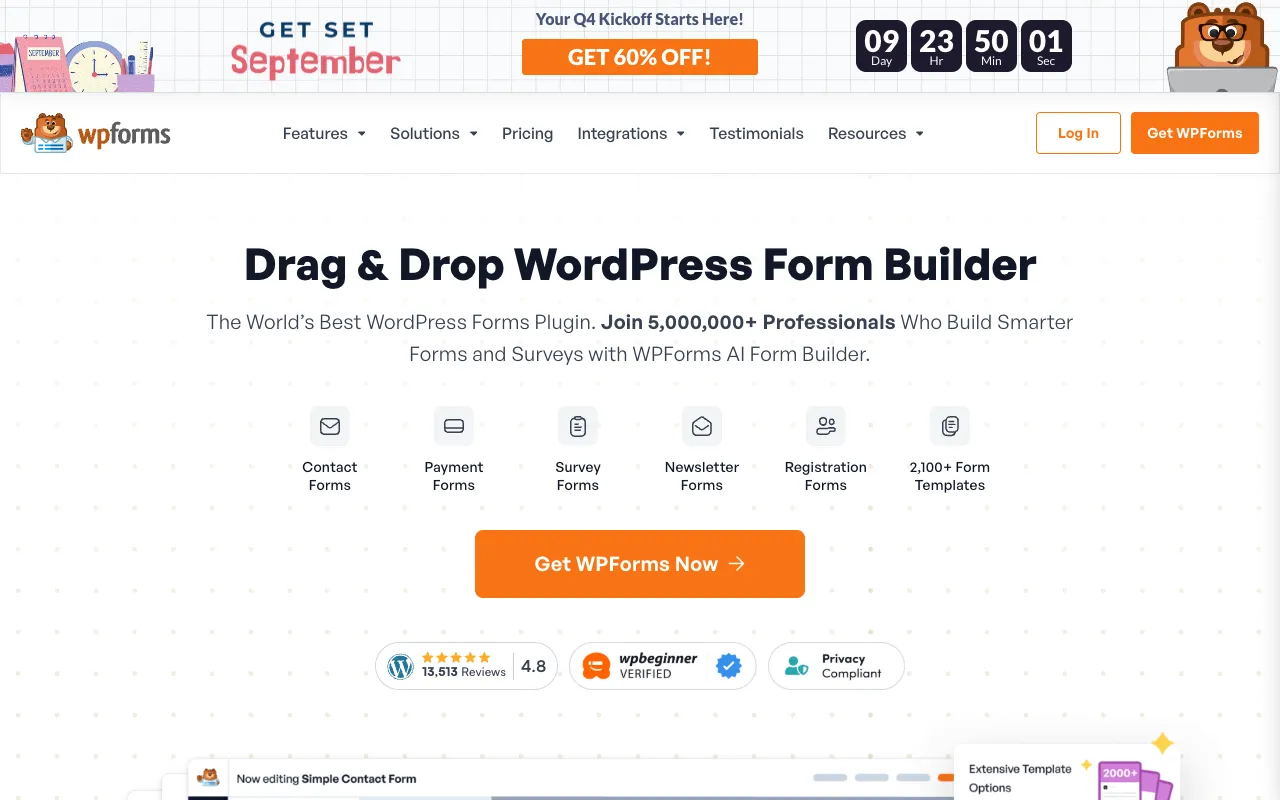
WPForms markets itself as a drag-and-drop WordPress form builder with AI and a large template library.
We scored each option on six practical criteria, not on marketing slogans:
- Features that matter day to day (fields, logic, payments, spam, templates)
- Pricing honesty (free limits, renewal price, not only year-one sale tags)
- Ease of use (time from idea to a live form)
- AI capabilities (drafting, import, or automation that saves real work)
- Integrations (email, CRM, sheets, webhooks)
- Overall value for solo builders, freelancers, and small teams
WordPress-only plugins stay in the ranking when they are genuine WPForms peers. Hosted builders stay in when they replace WPForms for the same jobs: contact, RSVP, lead capture, feedback, registration.
1. Formms: AI form generator compatible with WordPress
Best for: creators, organizers, freelancers, and teams who want a form live in minutes without installing a WordPress plugin.
Formms is a free AI form builder. You describe the form in plain language, edit the draft, share a short form.ms link or QR, and read replies on iPhone, Android, or web. Respondents open a browser. They do not need an account. You can also import a public Google Forms, Typeform, or Tally form instead of rebuilding fields by hand.
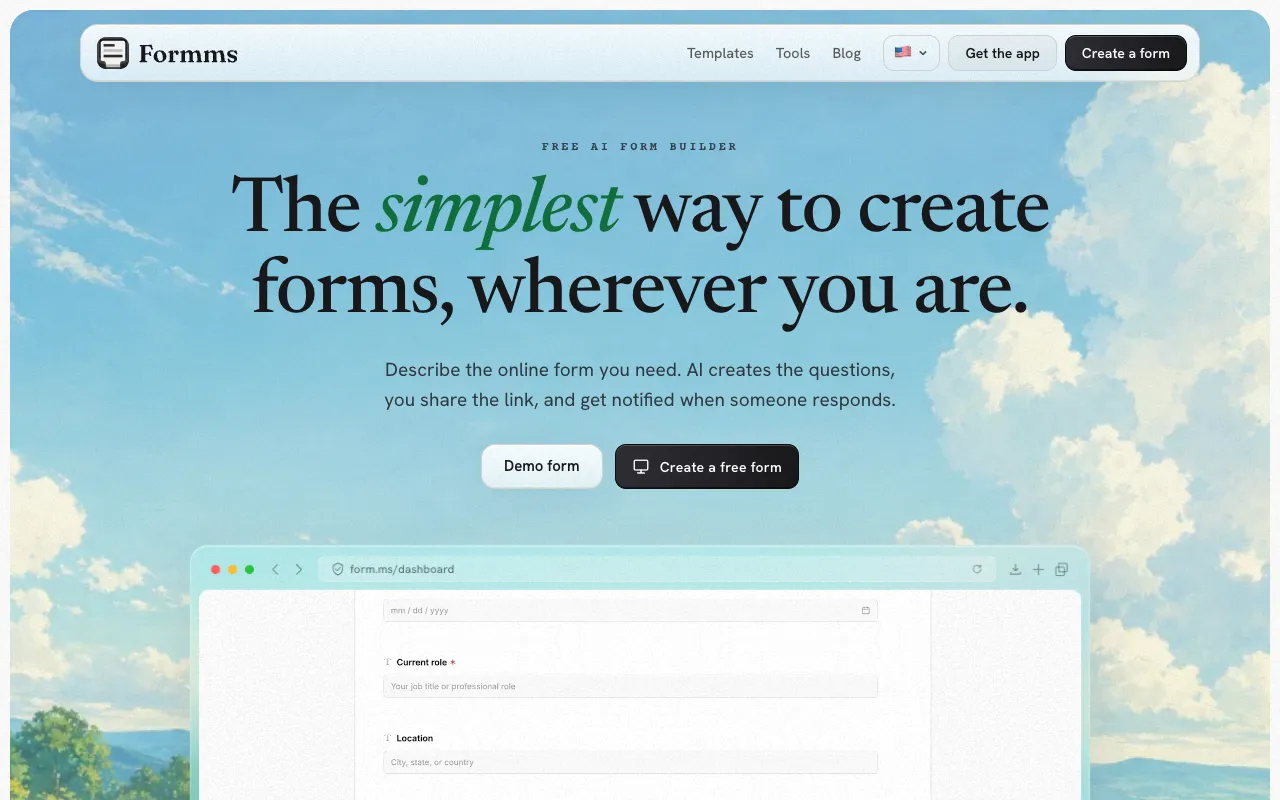
Formms: describe a form, share a short link, collect replies without making guests create an account.
That is a different product shape than WPForms. You are not embedding a shortcode that depends on your theme CSS, SMTP plugin, and hosting stack. You publish a URL that works next to a WordPress site, inside a newsletter, on a printed flyer, or in a chat thread.
How it differs from WPForms
Most WPForms shopping trips start with one of three pains:
- Lite is missing entry storage, logic, or payments you assumed were free
- Pro pricing looks fine in year one and hurts at renewal
- You need a form today, and the WordPress admin is not where you are standing
Formms sits outside the plugin model. Unlimited responses are the default unless you set a cap or close date. AI drafting replaces template hunting. Short links and QR codes replace long WordPress permalinks. For stronger prompt wording, see how to turn a prompt into a shareable form.
How to replace a WPForms contact form with Formms
Publish the form in Formms, copy the WordPress iframe from Share → WordPress, then paste it into a Custom HTML block. People who fill it in never need a Formms account. The form must be published first. A draft has no public URL to embed.
1. Open the dashboard and start a new form
Go to form.ms/dashboard and sign in. Click + New form. You can start blank, import a public Google Form / Typeform / Tally link, or describe what you need to the AI.
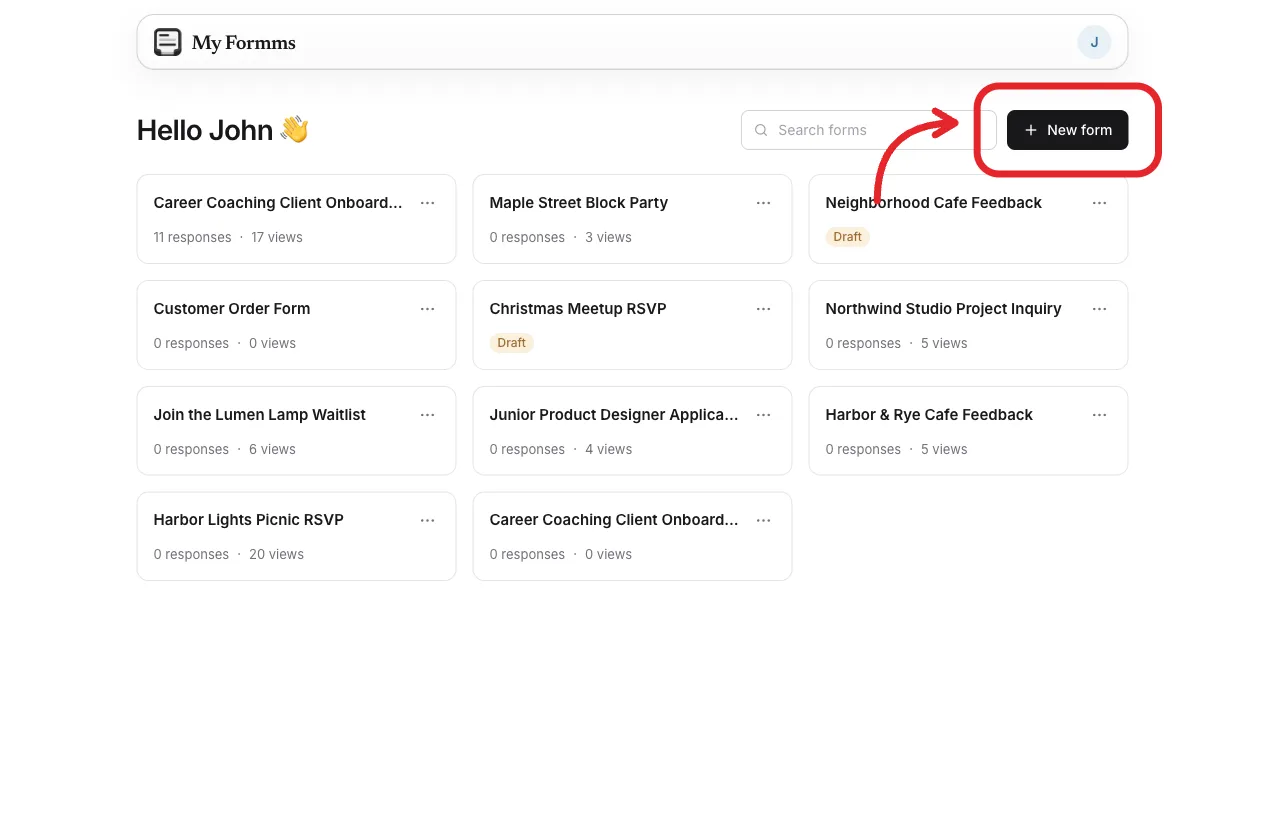
Formms dashboard: click + New form to start a contact form that will replace WPForms on your page.
2. Describe the form, then create the draft
Tell the helper what the form is for, who fills it in, and what to collect. Example: “Contact form with name, email, subject, and message.” Review the draft card, send another message if something is off, then click Create this form.
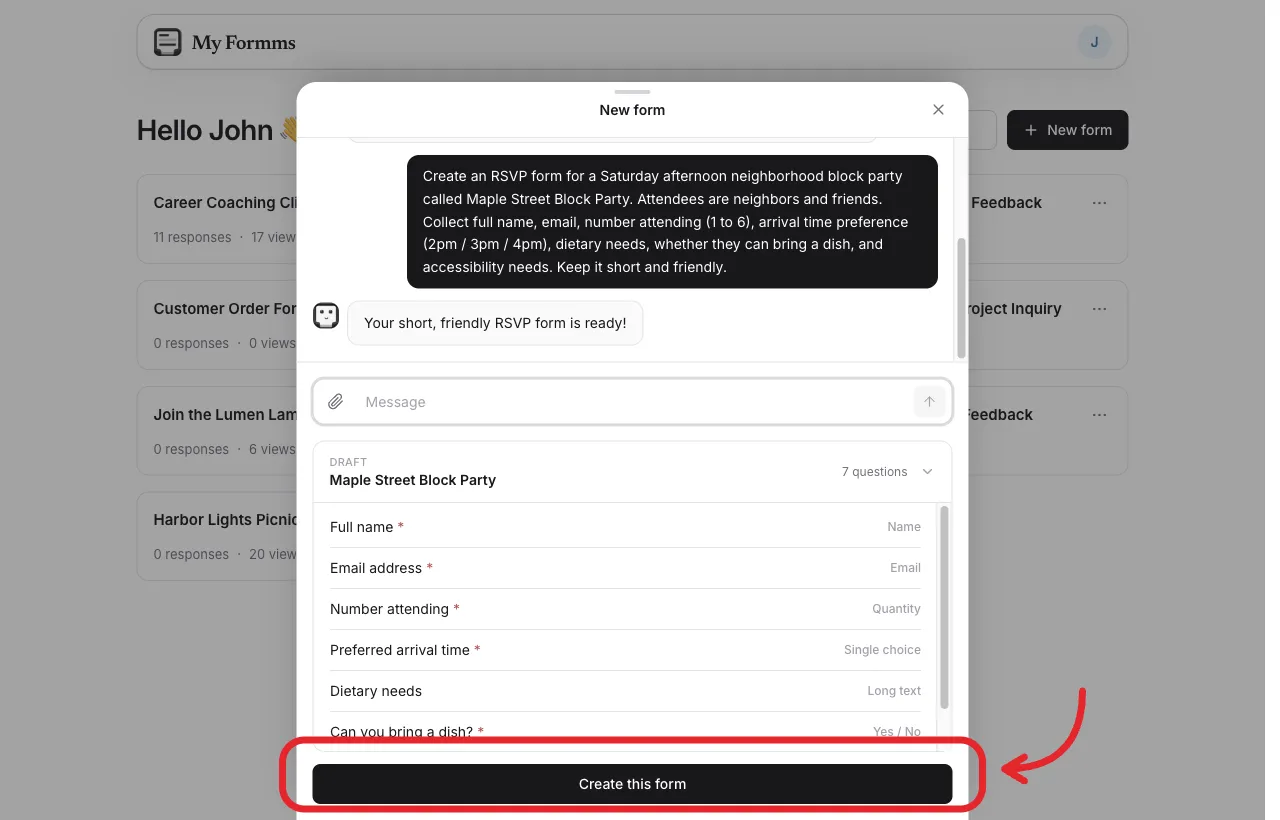
Describe the contact form in plain language and review the generated questions before you create it.
3. Edit in the builder, then publish
Change labels, options, and required flags in Build. On a new form the toolbar still has Publish. Click it once. After that, Publish leaves the toolbar and Preview stays. Formms takes you to Share.
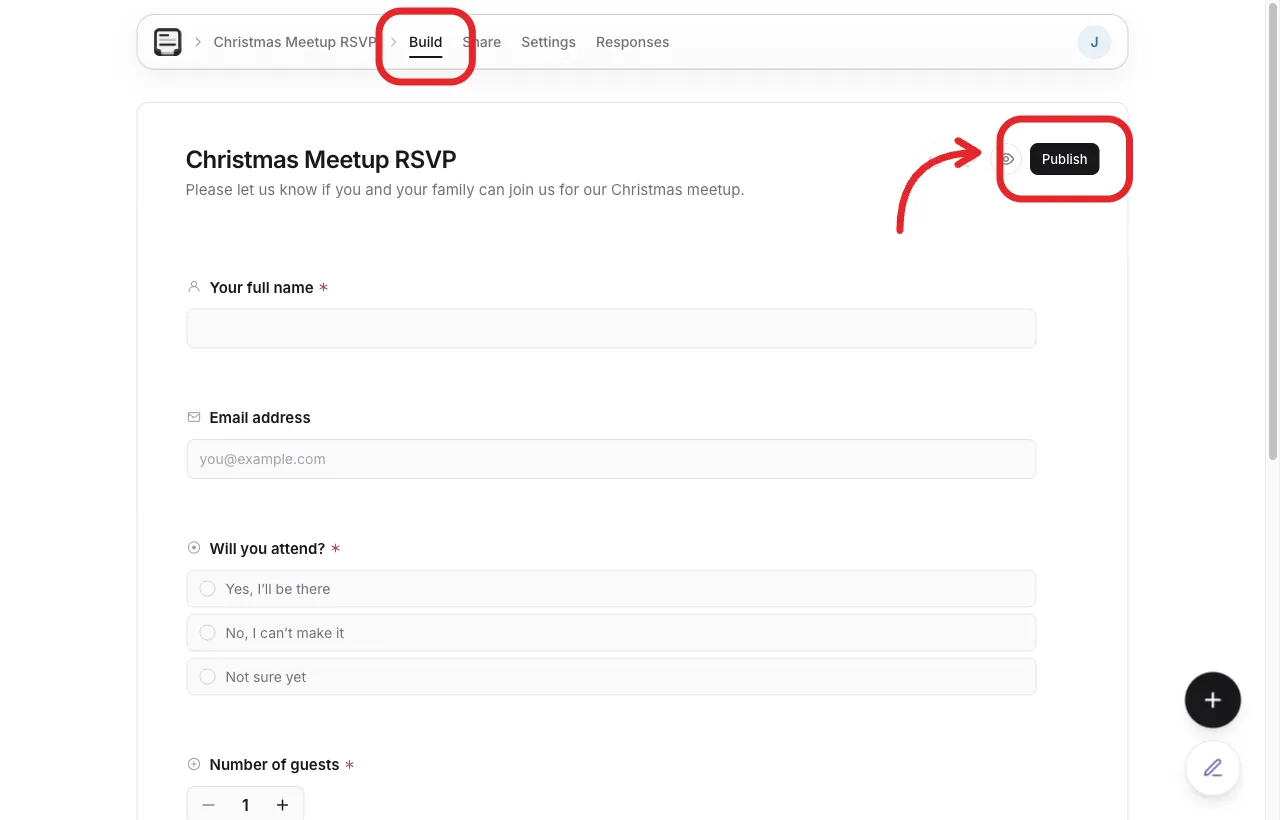
Edit the questions, then publish so Share can show a public URL and embed snippets.
4. Open Share → WordPress and copy the iframe
On the web, open Share, then WordPress in the left sidebar. Use Copy on the iframe under Add it to WordPress. Paste it as Formms generated it. Do not rewrite the tags.
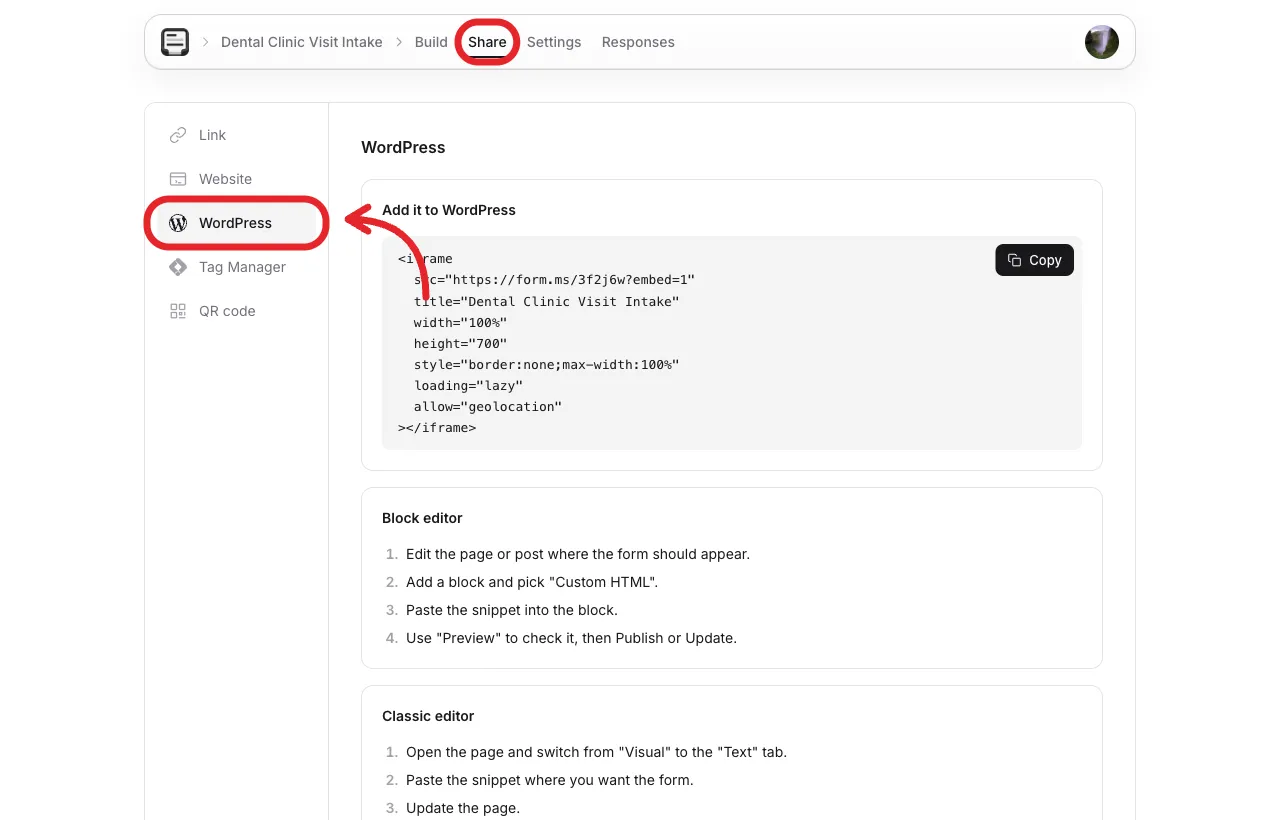
Share → WordPress: the dedicated iframe snippet for WordPress pages and posts.
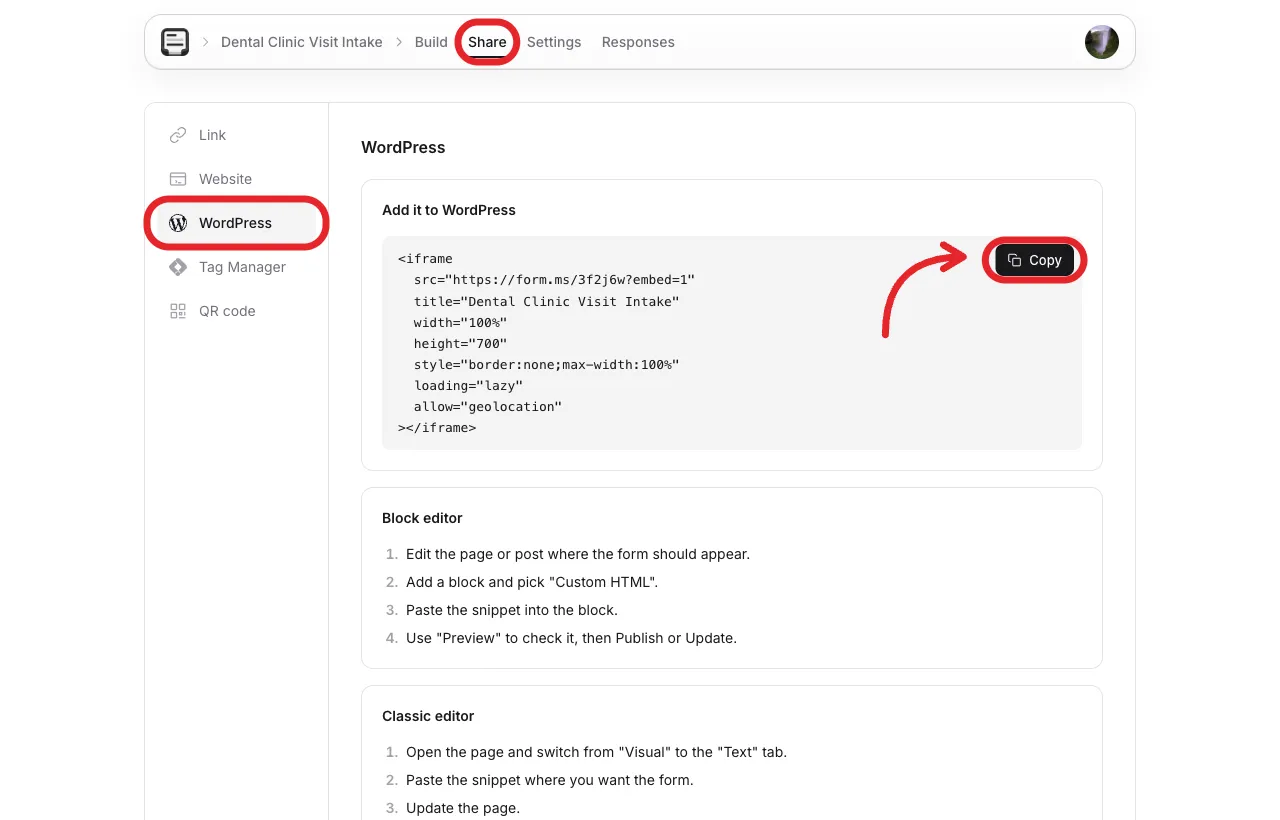
Copy the iframe under Add it to WordPress. Your form URL and title will differ.
Example shape:
<iframe
  src="https://form.ms/3f2j6w?embed=1"
  title="Dental Clinic Visit Intake"
  width="100%"
  height="700"
  style="border:none;max-width:100%"
  loading="lazy"
  allow="geolocation"
></iframe>
5. Paste into WordPress
In the block editor: edit the page, add a Custom HTML block, paste the iframe, Preview, then Publish or Update.
In the classic editor: open the page, switch to the Text tab, paste the iframe, then Update.
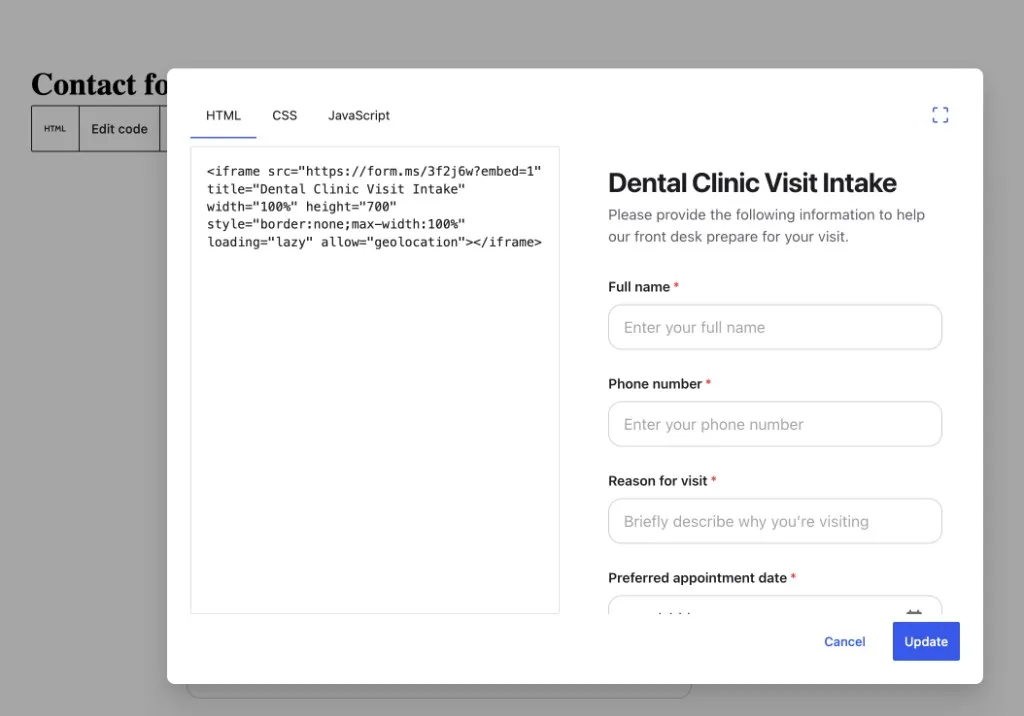
Paste the Formms iframe into a Custom HTML (or classic Text) block, then Update.
6. Check the live page
Open the published WordPress page in a private window. Submit a test answer, then confirm it under Responses in Formms. If the form does not show, confirm it is published in Formms, the iframe sits inside Custom HTML (or the Text tab), and a cache plugin is not serving an old version.
For Standard, Popup, or Full page website embeds instead of the WordPress iframe, use Share → Website. For stronger prompt wording when you draft the form, see how to turn a prompt into a shareable form.
Strengths
- Plain-language AI draft that is fast to rewrite
- Short public links and downloadable QR codes
- Unlimited responses unless you set a cap or close date
- Same account on iPhone, Android, and web (
form.ms/dashboard) - Import public Google Forms, Typeform, and Tally links without rebuilding fields
- No WordPress install, SMTP setup, or theme CSS fights
Limitations
- Not a payments or e-sign suite for now
- No multi-page logic jumps for enterprise intake workflows for now
Who should pick Formms
Choose Formms when the bottleneck is time-to-publish, or when the form needs to travel outside WordPress (SMS, QR, Instagram bio, event badge). Keep a WordPress plugin if procurement requires every byte to stay on your host. For the free unlimited-response walkthrough, see how to create a free form with unlimited responses.
2. Gravity Forms: Suitable for complex WordPress workflows
Best for: agencies and developers who need conditional logic, add-ons, and durable WordPress form infrastructure.
Gravity Forms is the veteran premium WordPress form builder. There is no free plugin. Licenses are annual: Basic around $59/year (1 site), Pro around $159/year, Elite around $259/year. Payment gateways and many integrations sit on Pro or Elite, depending on the add-on.
Gravity Forms positions itself as a WordPress form builder for serious site workflows.
Strengths
- Mature conditional logic and developer-friendly hooks
- Large ecosystem of official and third-party add-ons
- Transparent annual pricing without the steep first-year bait-and-switch pattern some peers use
- Strong fit for membership, CRM, and payment-heavy sites
Limitations
- No free version to trial on a live site without buying
- Full stacks often need Pro or Elite plus extra products for front-end entry displays
- Heavier than what a simple contact page needs
Who should pick Gravity Forms
Pick Gravity Forms when WordPress is non-negotiable and the form is part of a larger site machine. Skip it if you only need a simple contact page and do not want a paid-only plugin.
3. Fluent Forms: Feature-rich free WordPress plugin
Best for: WordPress sites that want conditional logic and entry storage without starting on a paid WPForms tier.
Fluent Forms ships a capable free plugin and a Pro upgrade. The free core already covers entry management and conditional logic, which is where many WPForms Lite users feel the gap first. Pro plans typically start around $79/year for a single site (often with a first-year discount), with agency and unlimited tiers above that, plus lifetime options.
Fluent Forms markets a fast WordPress form builder with a generous free feature set.
Strengths
- Free tier includes logic and entries that WPForms Lite withholds
- Conversational forms, payments, and many integrations on Pro
- Lightweight footprint relative to some heavyweight peers
- Lifetime pricing available for teams that hate renewals
Limitations
- Year-one discounts can make renewal math surprising if you only budget the sale price
- UI polish varies by theme; you still own SMTP and spam hardening
- Less “phone-first creation” than hosted builders
Who should pick Fluent Forms
Choose Fluent Forms when you are staying on WordPress and you want the best free-to-paid climb among WP plugins.
4. Formidable Forms: Suitable for calculators and front-end data views
Best for: directories, calculators, and WordPress sites that display submitted data back on the front end.
Formidable Forms goes beyond contact forms into calculated fields, views, and app-like WordPress builds. There is a limited free plugin. Paid plans often start around $39.50 first year ($79 renewal) for Basic, with Business and Elite tiers for payments, views, and agency use.
Formidable Forms sells a complete WordPress forms solution for builders who need more than contact pages.
Strengths
- Strong calculated fields and estimators
- Views for directories and listing-style front ends
- Useful for agencies building custom WP apps without custom code for every screen
- Free entry point to test the builder
Limitations
- The features that justify the switch often sit on higher-priced tiers
- Steeper learning curve than a simple contact plugin
- Overkill for a three-field “email us” page
Who should pick Formidable Forms
Pick Formidable when WPForms feels too shallow for calculators or public entry displays.
5. Ninja Forms: Clean modular WordPress form stack
Best for: teams that want a free core plugin and a la carte add-ons, or annual bundles.
Ninja Forms offers a free core on WordPress.org and premium extensions. Bundle pricing commonly starts near $99/year for Plus (often discounted in year one), with Pro and Elite bundles for payments and advanced tools.
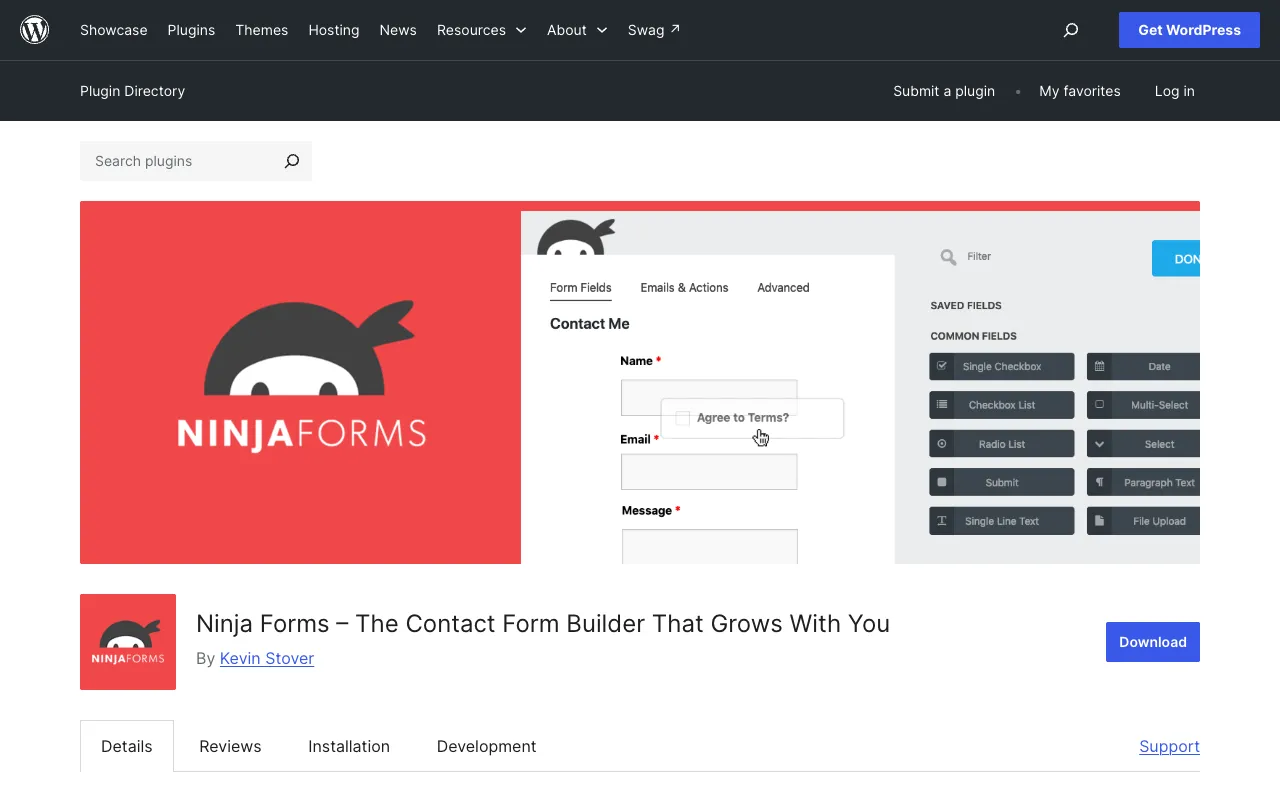
Ninja Forms is listed on WordPress.org as a contact form builder that grows with add-ons.
Strengths
- Free core to start
- Modular add-ons so you can buy only what you need
- Familiar WordPress admin workflow
- Solid multi-step and layout options on paid tiers
Limitations
- A full feature set can cost more than an all-in-one Pro peer once add-ons stack
- Conditional logic and uploads are not as free-friendly as Fluent Forms
- Still depends on your WordPress mail and hosting health
Who should pick Ninja Forms
Choose Ninja Forms if you like assembling a plugin stack piece by piece.
6. Typeform: Provides hosted conversational experience
Best for: brand-forward surveys and lead forms where completion rate and design matter more than WordPress integration.
Typeform popularized one-question-at-a-time forms. In 2026 it leans hard into AI forms and automation. The free plan is tight (around 10 responses per month on current free tiers), and paid plans meter responses: Basic commonly around $25/month billed annually for about 100 responses, with Plus and Business for higher caps.

Typeform markets AI forms and automation around a premium conversational experience.
Strengths
- Excellent respondent UX and branding
- Strong fit for marketing research and high-intent lead capture
- Mature logic and design controls on paid plans
- Hosted delivery, so your WordPress site is not the single point of failure
Limitations
- Free response ceiling is too low for most live campaigns
- Price climbs quickly with volume
- Overkill for internal contact forms
Who should pick Typeform
Pick Typeform when the form is the brand moment: product waitlists, customer research, or high-intent lead forms where design and pacing matter more than WordPress integration.
7. Jotform: Good template library and workflow breadth
Best for: teams that want templates, payments, PDFs, and approvals in one hosted product.
Jotform is the Swiss Army knife of hosted forms. The free Starter plan typically allows a small number of forms and about 100 submissions per month. Paid Bronze and higher tiers raise submission caps and unlock more storage and branding controls.
Jotform leans on powerful forms, a large template library, and broad workflow tools.
Strengths
- Huge template catalog
- Payments, PDFs, approvals, and many widgets
- Useful when one vendor must cover many form jobs
- Mobile apps for building and reviewing
Limitations
- Free caps on forms and submissions show up fast
- Interface can feel busy next to minimal builders
- Easy to overbuild forms nobody finishes
Who should pick Jotform
Choose Jotform when you need breadth: registrations, payment forms, applications, and approvals in one hosted product.
8. Tally: Generous free hosted form builder
Best for: Notion-style builders who want unlimited forms and submissions without a WordPress plugin.
Tally offers unlimited forms and submissions on its free plan within fair-use guidelines, including logic, payments, signatures, and common integrations. Pro (around $24/month) removes branding and adds collaboration and advanced customization.
Tally sells beautiful free forms with unlimited forms and submissions on the free plan.
Strengths
- Truly usable free tier for everyday volume
- Clean block-style editor
- Conditional logic and payments without forcing an upgrade first
- Hosted links that work beside any website
Limitations
- Not a WordPress plugin (you embed or link out)
- Free plan keeps Tally branding
- Less phone-native creation than Formms
Who should pick Tally
Pick Tally when you want a free desktop-friendly builder that still looks modern and does not cap everyday submission volume.
9. Forminator: Free WordPress forms, quizzes, and polls
Best for: WordPress sites that want one free plugin for forms, quizzes, polls, and basic payments.
Forminator from WPMU DEV includes a strong free feature set: many field types, conditional logic, quizzes, polls, and Stripe/PayPal options that WPForms Lite does not match. Advanced Pro features (subscriptions, PDFs, geolocation, e-signatures) sit inside a WPMU DEV membership rather than a simple standalone Pro SKU.
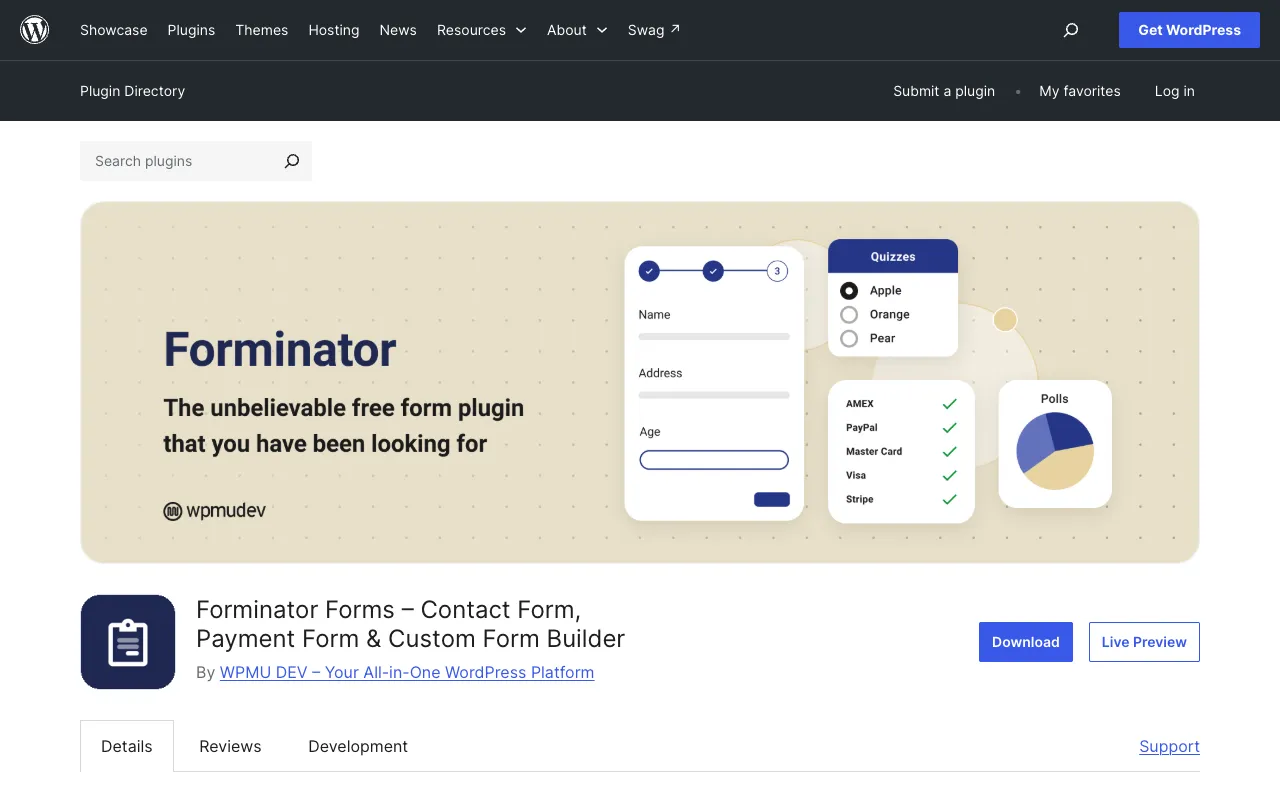
Forminator is a free WordPress.org plugin for contact forms, payment forms, quizzes, and polls.
Strengths
- Generous free feature set compared with WPForms Lite
- Forms, quizzes, and polls in one plugin
- Payment fields available without buying WPForms Pro
- Active install base and regular updates on WordPress.org
Limitations
- Pro features are tied to a broader membership model
- Still subject to WordPress mail, caching, and theme conflicts
- UI is capable but not as polished as top hosted builders
Who should pick Forminator
Choose Forminator when you want to stay free on WordPress and still get logic, quizzes, and payments.
10. Contact Form 7: Simple free mail form for WordPress
Best for: developers and site owners who want a minimal, free contact form and are comfortable with shortcodes.
Contact Form 7 is the long-running free classic on WordPress.org, with 10+ million active installations. It does not store entries in the database by default, does not ship a visual drag-and-drop builder, and sends submissions by email unless you extend it. That simplicity is both the appeal and the limitation.
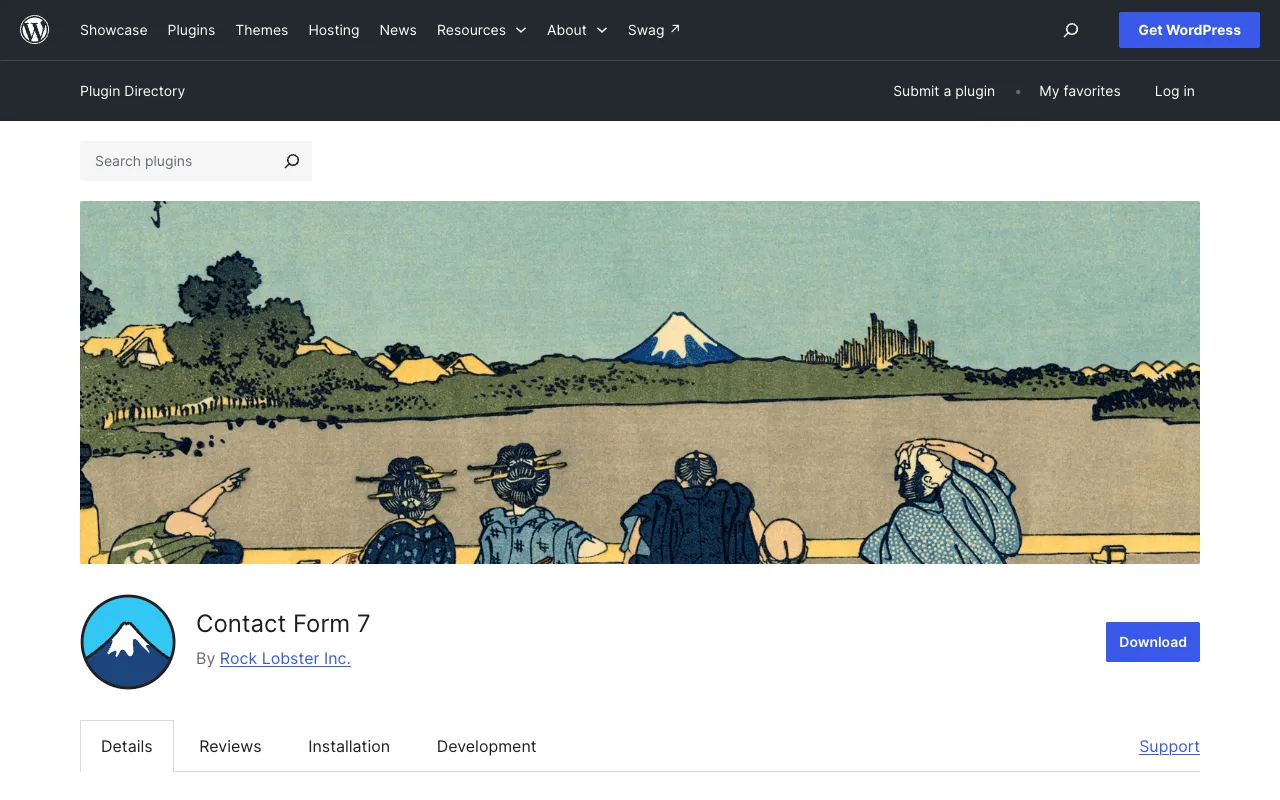
Contact Form 7 on WordPress.org: the free classic contact form plugin with a shortcode-based workflow.
Strengths
- Free forever with a massive install base
- Lightweight and familiar to many developers
- Flexible markup if you like editing form templates by hand
- No annual license for basic contact forms
Limitations
- No modern visual builder
- Entries are not stored in wp-admin by default (email delivery becomes the weak link)
- Spam hardening and SMTP usually need extra plugins
- Slow path if you want AI drafts, QR codes, or phone-first editing
Who should pick Contact Form 7
Stay with Contact Form 7 if your site already runs it cleanly and you only need email notifications. If you are choosing a WPForms alternative because Lite feels empty, Fluent Forms or Forminator are usually better free WordPress upgrades.
Quick comparison snapshot
| Rank | Tool | Best for | Free tier | Watch-out |
|---|---|---|---|---|
| 1 | Formms | AI form builder, short links, 3 types of embeds | Unlimited create/share/collect | No multi-page logic for now |
| 2 | Gravity Forms | Complex WP workflows | No free plugin | Paid-only; add-ons by license |
| 3 | Fluent Forms | Feature-rich free WP forms | Strong free core | First-year discounts vs renewal |
| 4 | Formidable Forms | Calculators, views, app-like WP | Limited free | Best value sits on higher tiers |
| 5 | Ninja Forms | Modular WP add-ons | Free core | Bundles add up for full stacks |
| 6 | Typeform | Branded conversational surveys | Very tight free responses | Response metering gets expensive |
| 7 | Jotform | Templates and ops workflows | Capped forms and submissions | Interface can feel heavy |
| 8 | Tally | Notion-like free hosted forms | Unlimited forms/submissions (fair use) | Less WP-native than plugins |
| 9 | Forminator | Free WP forms, quizzes, polls | Strong free feature set | Pro sits inside a membership |
| 10 | Contact Form 7 | Simple mail-based contact forms | Free forever | No visual builder; email delivery pain |
WPForms vs the top alternatives: what usually decides it
Use this shortcut when you are tired of feature matrices:
- Switch to Formms if you want AI drafting, short links, QR codes, and phone-first management without another WordPress dependency.
- Stay on WPForms if your team already knows it, Lite is enough, or you are mid-Pro and the renewals are acceptable.
- Switch to Gravity Forms / Fluent / Formidable / Ninja / Forminator if the form must live inside WordPress and you need logic, payments, or views that Lite lacks.
- Switch to Typeform / Jotform / Tally if you want a hosted builder with stronger design or a more generous free hosted plan.
For a wider hosted-builder field beyond WordPress plugins, the 10 best Google Form alternatives roundup covers overlapping tools from a different starting point.
FAQ
What is the best free WPForms alternative in 2026?
Formms is the best free pick on this list if you want AI drafting, a short share link or WordPress iframe embed, and unlimited responses without a plugin license. If you must stay inside wp-admin as a free plugin, Fluent Forms and Forminator are the strongest upgrades over WPForms Lite. Contact Form 7 remains free but is thinner on modern builder features.
Is Gravity Forms better than WPForms?
Gravity Forms is better when you need a developer-friendly WordPress form system and you accept paid-only licensing. WPForms is easier for beginners and has a free Lite tier. Neither replaces a phone-first hosted tool if your forms need to travel outside WordPress.
Can I replace WPForms without rebuilding every form?
Sometimes. Hosted tools like Formms can import public Google Forms, Typeform, or Tally links. WordPress plugin migrations are messier and often mean rebuilding. Export your field list and notification emails before you switch so nothing silent disappears.
Do I need a WordPress form plugin if my site is on WordPress?
Only if the form must render as a native block or shortcode inside theme layouts, or if policy requires on-server storage. Many WordPress sites simply link or embed a hosted form. That keeps spam and mail delivery off your origin server.
Why do WPForms alternatives look cheaper at first?
Several WordPress form plugins advertise discounted first-year prices that rise at renewal. Always compare year-two cost, site limits, and which features sit behind the Pro or Elite gate. Hosted tools usually meter seats or responses instead.
Final pick
If you came here because WPForms Lite feels incomplete, or because Pro renewals sting, you have real options. Stay in WordPress with Fluent Forms, Forminator, Gravity Forms, Formidable Forms, or Ninja Forms when the admin dashboard is the product. Move to Typeform, Jotform, or Tally when hosted design and workflows matter more than a plugin. Use Formms when you want to describe a form, share a short link, and collect replies without another license cycle or WordPress dependency.
Create a free form at form.ms if that workflow fits, or stay on the WordPress option that matches how you already publish pages.